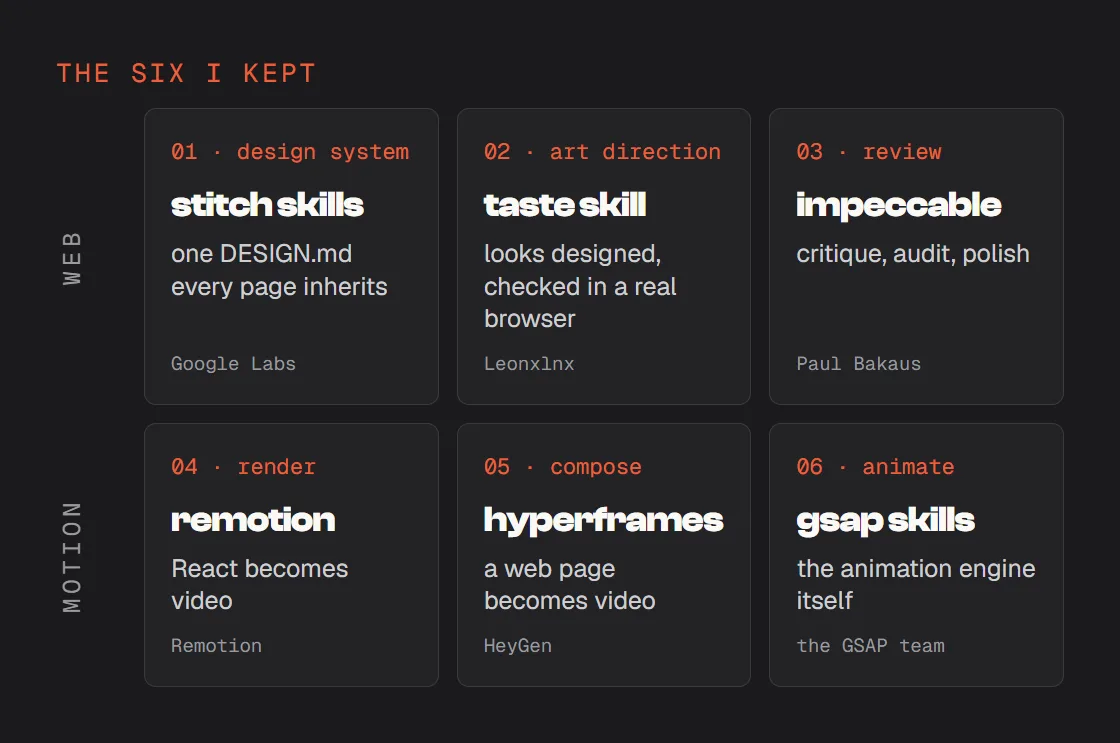
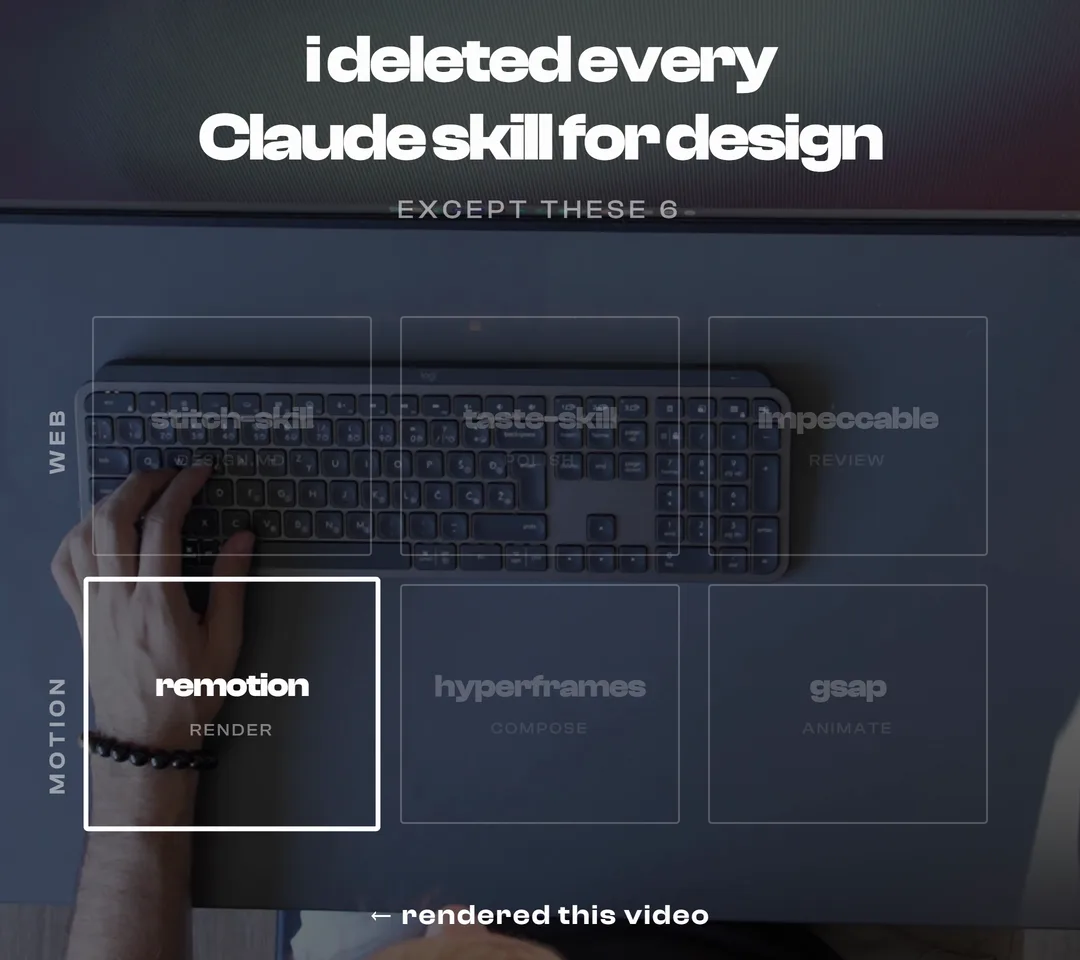
A skill that decides the look for Claude gives you the same template every time. The six I kept do something else: they give it your design system to follow, a way to check its own work, and the tools to make things move. Three for websites, three for motion. Here is each one, with whose it is and the line that installs it.
- Every page Claude builds looks like it is from a different site.
- It looks AI-made, and you cannot say exactly why.
- The animation is there, but it feels stiff.
Keep the skills that teach, drop the ones that decide.
What you need
Install only the ones you need. Each step below stands on its own.
- Claude CodeAll six work inside it.
- Node.js 22For the installs, the taste skill and HyperFrames. If it is missing, Claude tells you and installs it.
- A browser and FFmpegChrome, Edge or Chromium for the taste skill to check pages; FFmpeg for HyperFrames to write video.
- Google StitchOnly for the Stitch skills: its MCP server set up in Claude Code first.
One design system every page inherits
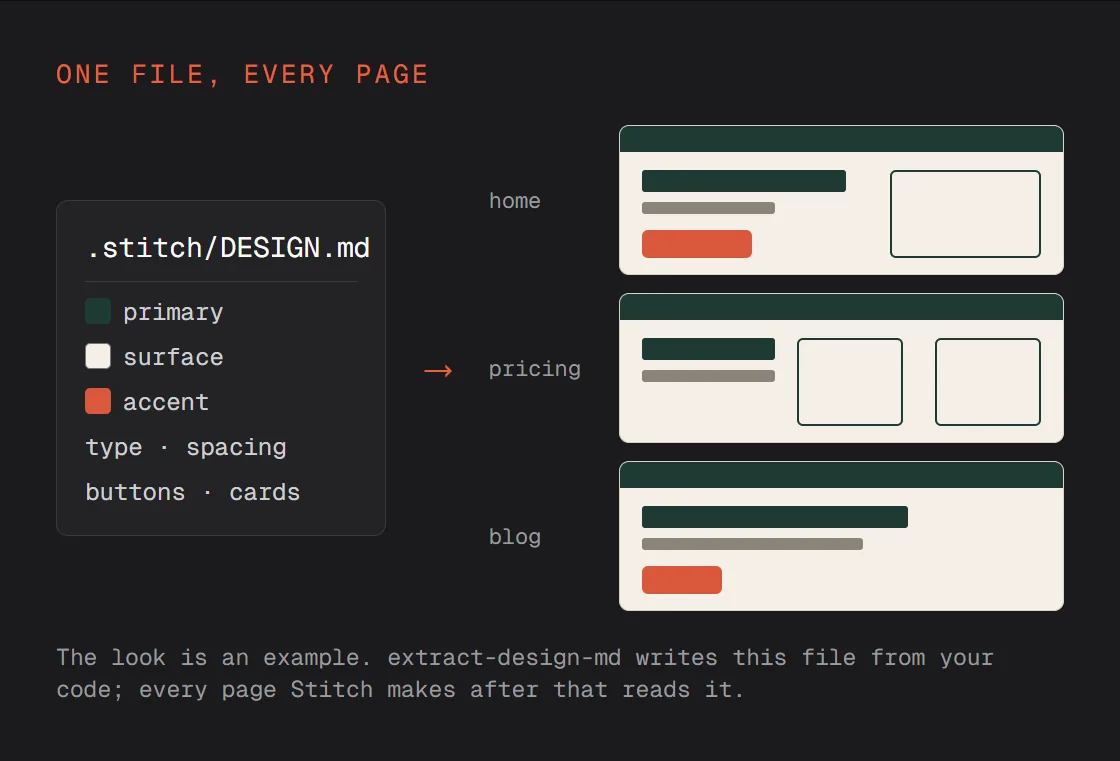
The reason pages feel like different sites is that each one is designed from scratch. The Stitch skills write your design system into one file first, and every page after that is built from it.
- By Google Labs, open source; the repo says it is not an official Google product
- Writes your site's design system into one DESIGN.md (extract-design-md)
- Every screen Stitch makes after that reads it, so the pages match
npx plugins add google-labs-code/stitch-skills --scope project --target claude-codeSet up the Stitch MCP server first; the repo links the steps.
Use the Stitch skills: extract the design system from this project into DESIGN.md, then design the [pricing] page from it, in the same look as the home page.
Make it look designed, not generated
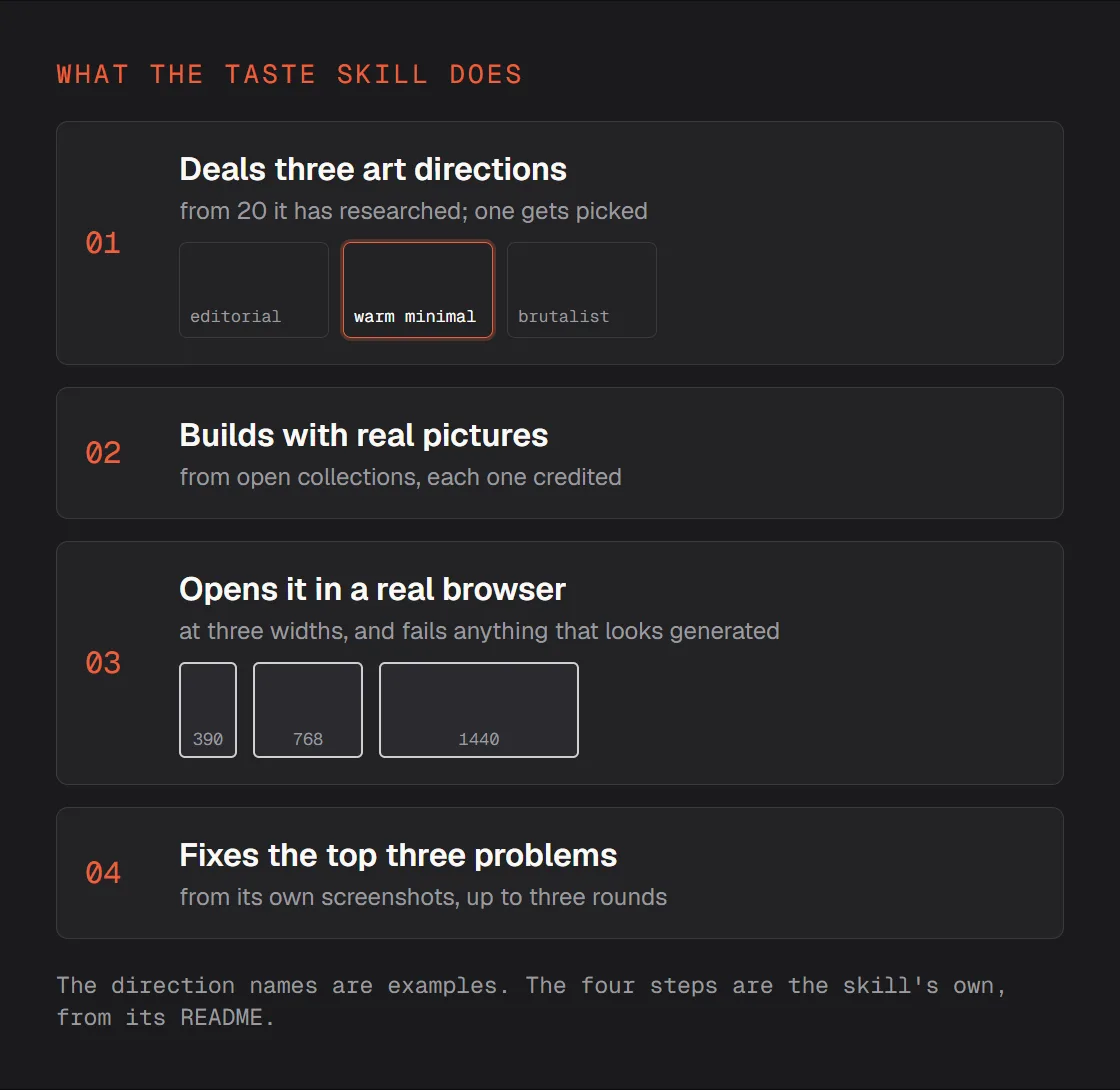
The taste skill decides on an art direction before it writes any code, then looks at its own page the way you would: in a browser, at phone, tablet and desktop width.
- By Leonxlnx, open source
- Picks an art direction before it builds, with real pictures it credits
- Checks its own page in a real browser and fixes what looks generated
/plugin marketplace add Leonxlnx/taste-skill/plugin install taste-skill@taste-skillNo API key. It needs Node.js 22 and Chrome, Edge or Chromium.
Use the taste skill to design the landing page for [what you sell]. Show me the three art directions first and wait for my pick.
Have every screen reviewed
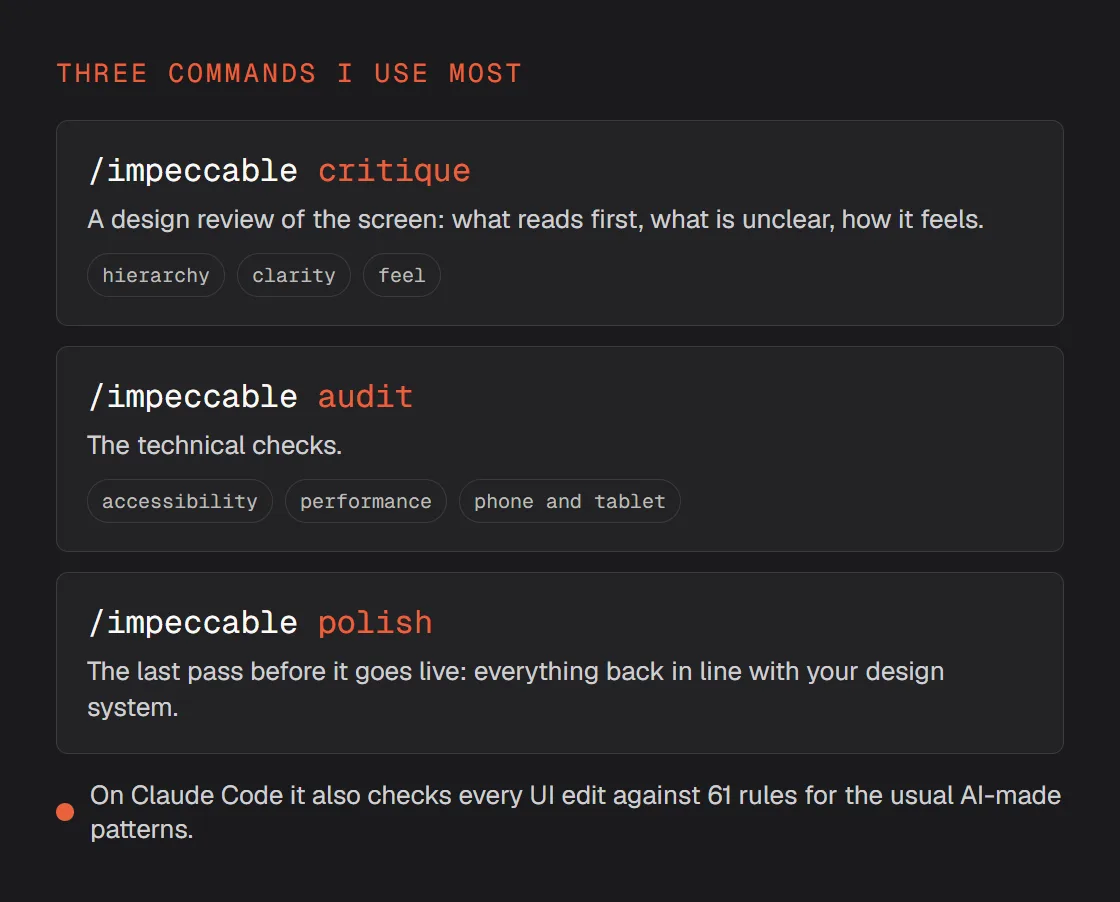
Impeccable is the senior designer who looks at every screen before it goes live, and says what is wrong in a list you can act on.
- By Paul Bakaus, open source
- One skill with 24 commands: critique, audit and polish are the ones I use most
- In Claude Code it also checks every UI edit for the usual AI-made patterns
npx impeccable installThen, in Claude Code, /impeccable init writes a short PRODUCT.md about what you are making.
/impeccable critique the landing page, then fix the three biggest problems and critique it again.
Turn React into video
Remotion writes video as code, so Claude can build an animation the way it builds a web page and render it to a file. Its official skills teach Claude how.
- Video written as React code; the official skills teach Claude to write, preview and render it
- Free for individuals and for companies of up to three people; bigger companies need a company license
npx skills add remotion-dev/skillsnpx create-video --yes --blank my-videoThe skills, then a blank project. Open Claude Code in the my-video folder.
Make a 6-second title card in Remotion: [my headline]in my brand’s fonts and colours, 1080 x 1920, 30 fps. Open it in the Studio first, then render it with a transparent background so I can lay it over my footage.
Turn a web page into video
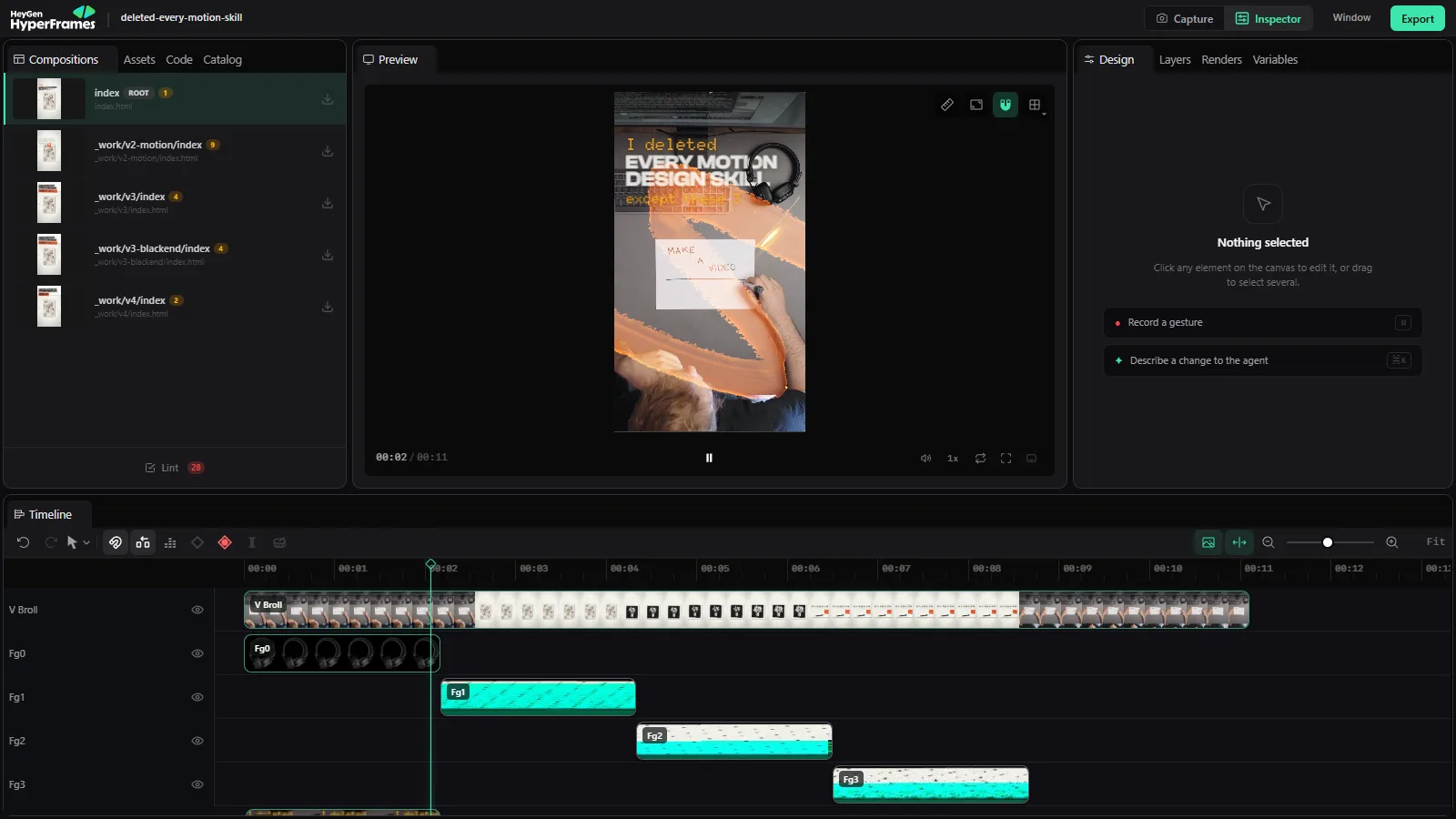
HyperFrames does the same job from plain web pages: Claude designs each shot as HTML, you play it live and give notes, and only then does it render the MP4.
- Open source, by HeyGen
- Claude makes the video as a web page; you play it live in the Studio, then it renders MP4
/plugin marketplace add heygen-com/hyperframes/plugin install hyperframes@hyperframesIt needs Node.js 22 and FFmpeg.
Make a 10-second vertical video in HyperFrames: [three short lines]appearing one by one on my brand’s background, 1080 x 1920. Open it in the Studio before you render.
Teach Claude the animation engine
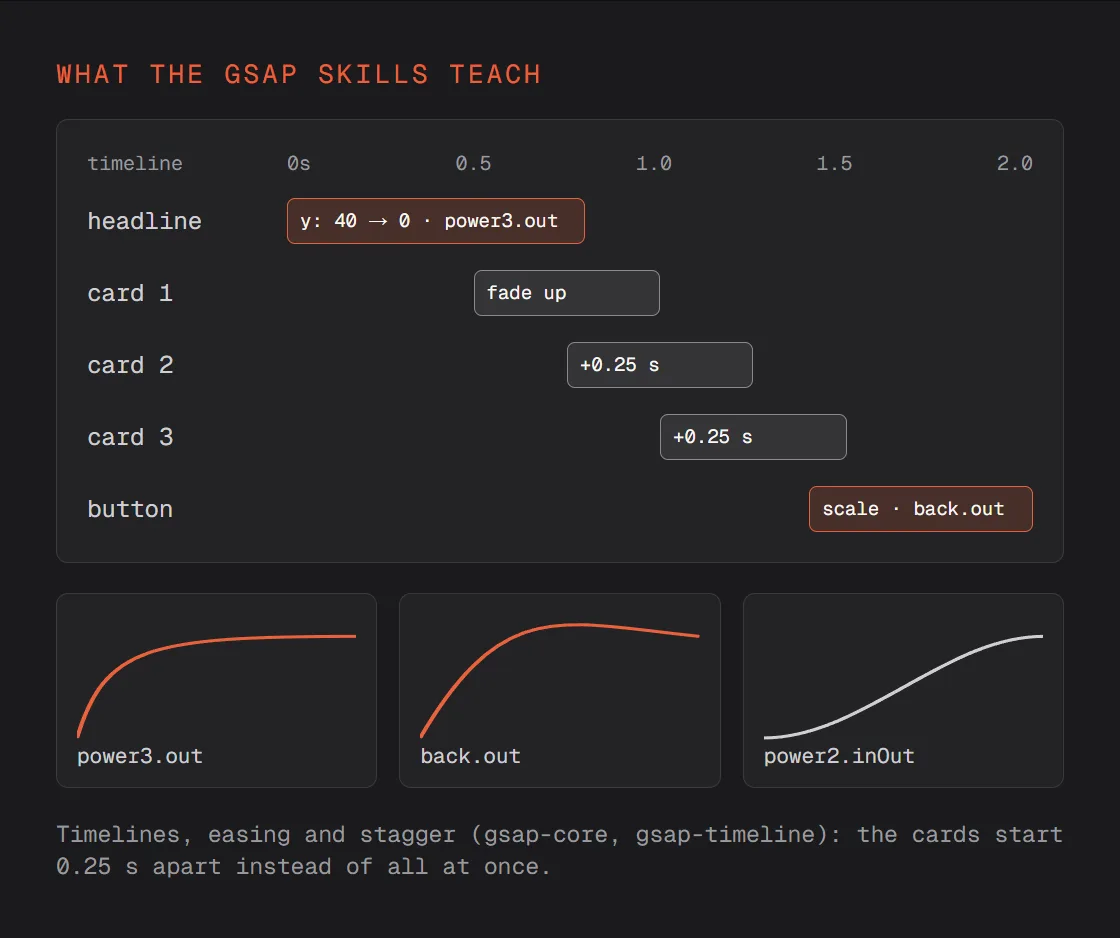
Stiff animation is usually the timing: everything moves at once, at the same speed. The GSAP skills teach Claude the library itself, so it sequences, eases and staggers like a motion designer.
- Official, by the GSAP team
- Timelines, easing, stagger, ScrollTrigger, and GSAP inside React
- For websites, and for the animation inside a HyperFrames video
npx skills add https://github.com/greensock/gsap-skillsUse the GSAP skills to animate the hero: the headline rises in first, the three cards follow 0.25 seconds apart, and the button pops in last with a little overshoot.
Since this reel, my motion starts from a pencil sketch of every scene, then GSAP and HyperFrames. That setup has its own guide.
Quick fixes
A skill does not show up
Restart Claude Code after you install, then type / and look for it in the list. A plugin needs both of its lines: first add the marketplace, then install the plugin.
The Stitch skills cannot connect
They work through Google Stitch's MCP server. Set that up first (the repo links the steps), then ask again.
Two skills give opposite advice
Give each its own pass: build with the taste skill, review with Impeccable, then decide. Asking both in the same request gets you a compromise of the two.
Remotion or HyperFrames?
Both turn code into video. Remotion if you or your team already write React. HyperFrames if you want Claude to work in plain web pages and to watch it live before it renders. My reels are made in HyperFrames now.
The video will not render
HyperFrames needs Node.js 22 and FFmpeg. Ask Claude to check both and install whatever is missing, then render again.
Run /impeccable audit on every page and give me one list of fixes, the most important first.
Use the taste skill to make the phone version of this page, and check it at 390 wide.
With the GSAP skills, count the numbers on this page up when they scroll into view, using ScrollTrigger.
Turn this page's hero into a 6-second vertical video for Instagram in HyperFrames, in the same design system.
An independent guide by Luka (@omgluka), made at Engram. The Stitch skills are by Google Labs, the taste skill by Leonxlnx, Impeccable by Paul Bakaus, Remotion by the Remotion team, HyperFrames by HeyGen and the GSAP skills by the GSAP team. Claude and Claude Code are made by Anthropic. None are affiliated with this guide.