Claude can edit a podcast once it has three things: every word of the episode with its time, a way to design graphics and turn them into video, and your show’s style written down. Here they are in the order you set them up, each with the sentence that installs it and what you can make with it.
- Hours of scrubbing to find the one line worth a clip.
- Captions and lower thirds by hand, every episode.
- Every episode looks a little different from the last one.
Write your show down once, then every episode starts there.
What you need
If you can tell an editor what you want, you can do this.
- Claude CodeClaude that can work on your computer. It installs and runs all of this for you.
- One episodeThe audio or video file of one episode. Get one right before you do the back catalogue.
- Your show’s lookYour logo, your cover art, your fonts and colours, and two or three edited episodes you are happy with.
- Python, Node.js 22 and FFmpegThe tools under WhisperX and HyperFrames. If one is missing, Claude tells you and installs it.
Turn the episode into text
Every edit starts from the words. Open Claude Code in the folder with your episode and give it one sentence: it installs WhisperX and writes the transcript next to the file.
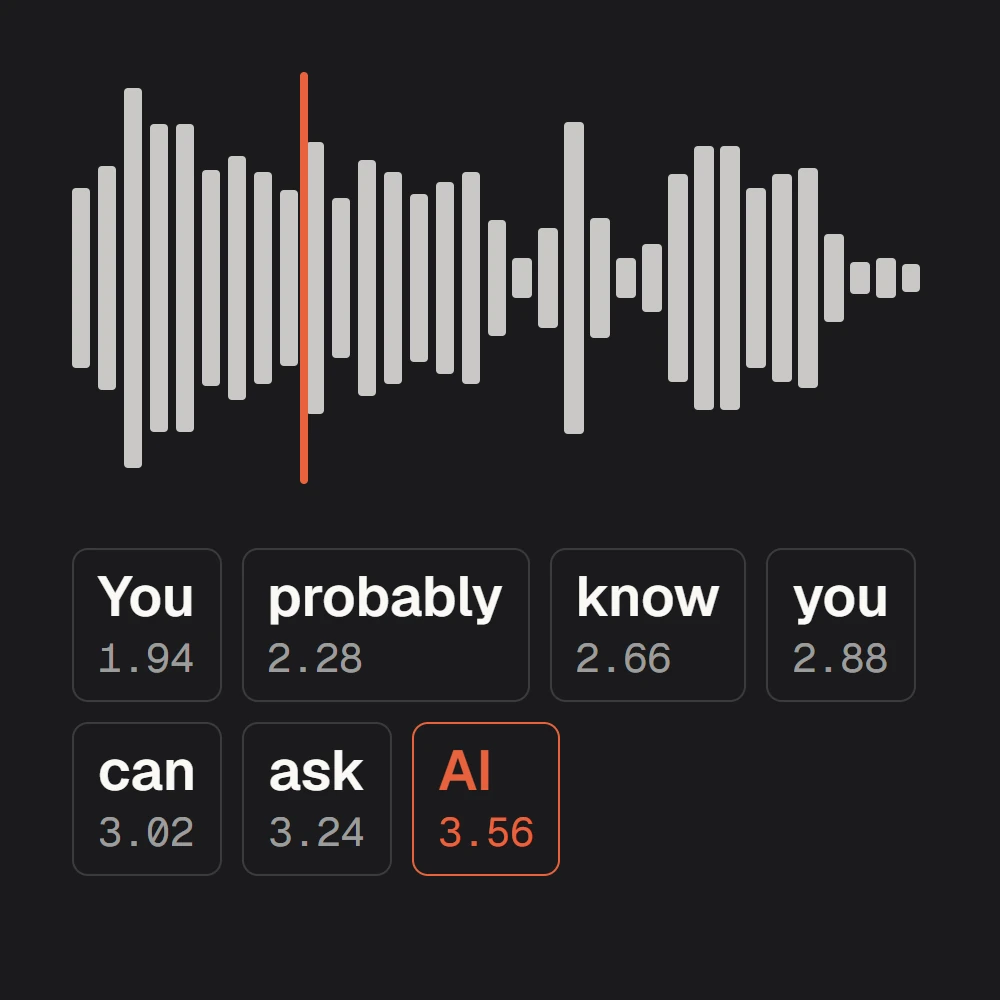
- Writes down every word of the episode with the second it starts and ends
- Tells your speakers apart (with a free Hugging Face token)
- Free and open source, and it runs on your own computer, a Mac included
Install WhisperX and transcribe my episode with word-level timestamps: every word with the second it starts and ends, and who is speaking. Save it next to the episode as JSON and SRT.
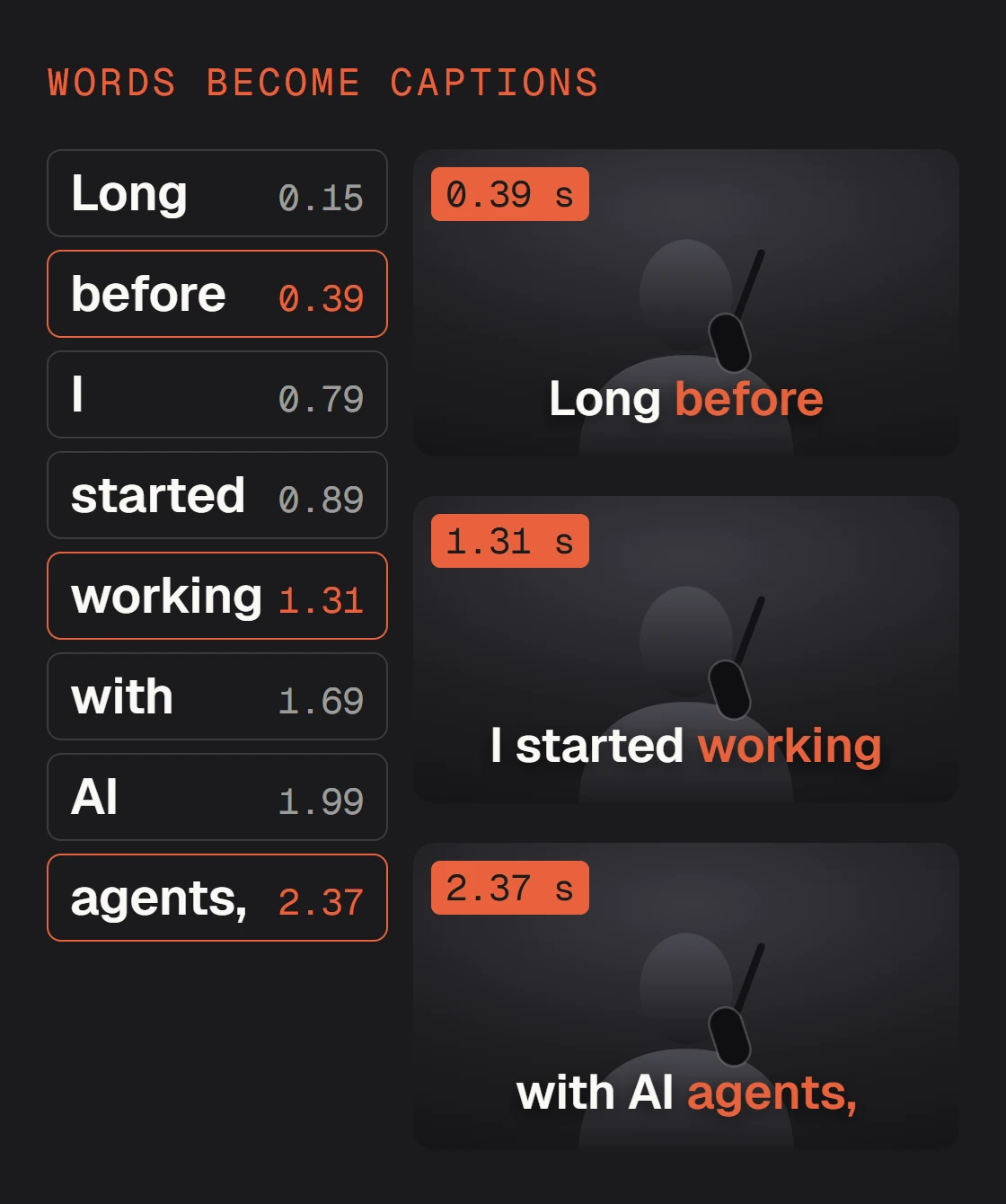
- 0.151 to 0.351Long
- 0.391 to 0.691before
- 0.792 to 0.832I
- 0.892 to 1.212started
- 1.312 to 1.612working
- 1.692 to 1.892with
- 1.992 to 2.233AI
- 2.373 to 2.713agents,
0.151 to 8.217Long before I started working with AI agents, I edited videos manually and repeated this process hundreds and thousands of times.
Then ask for what you need from it. Two to start with:
Read the transcript and find the five best 30-second moments for clips: a strong first line, one complete idea, a clean end. List them with their times and wait for my pick.
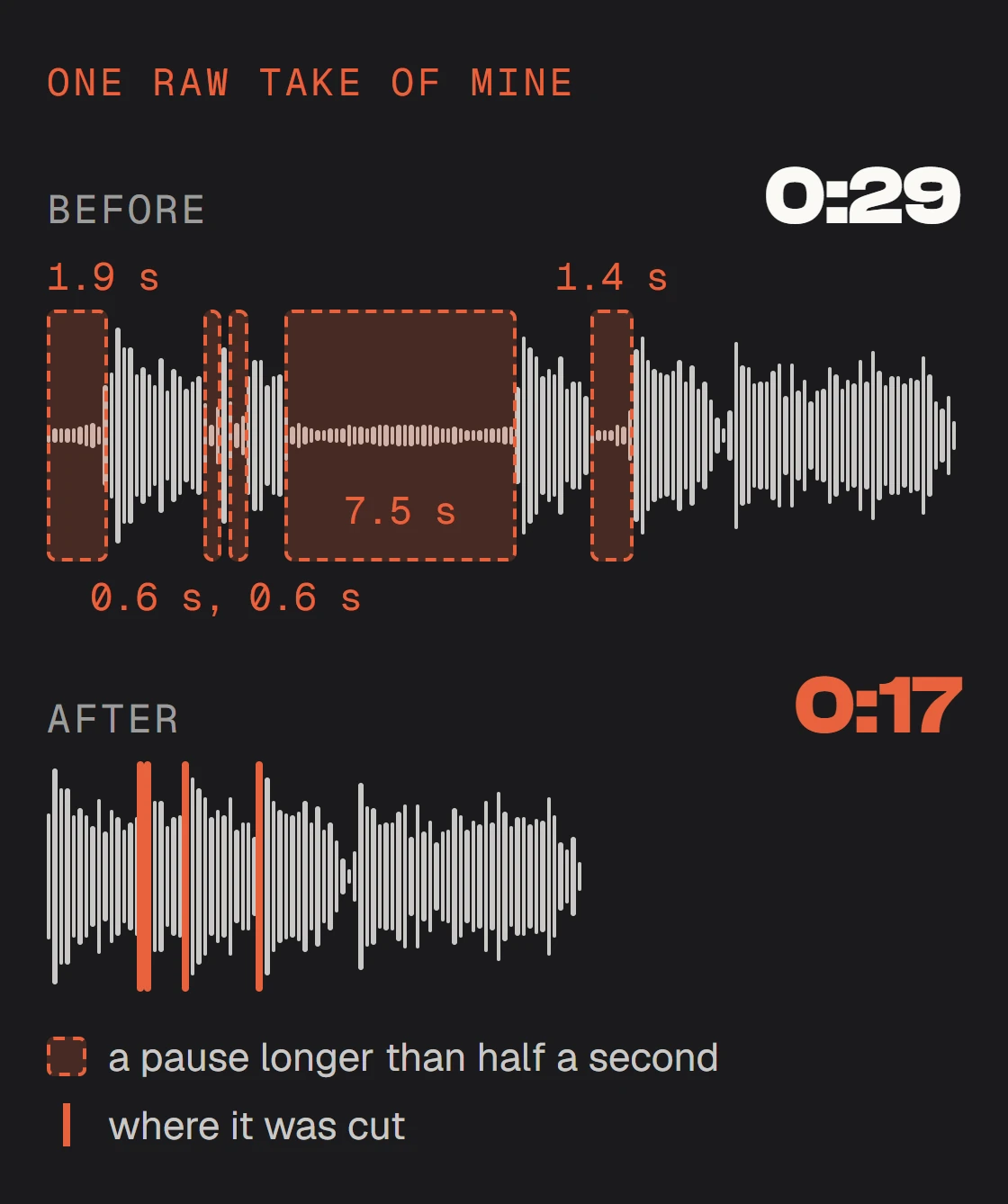
Cut every pause longer than half a second, never inside a word, and keep the breaths that sound natural. Show me the list of cuts before you cut.
Make the graphics
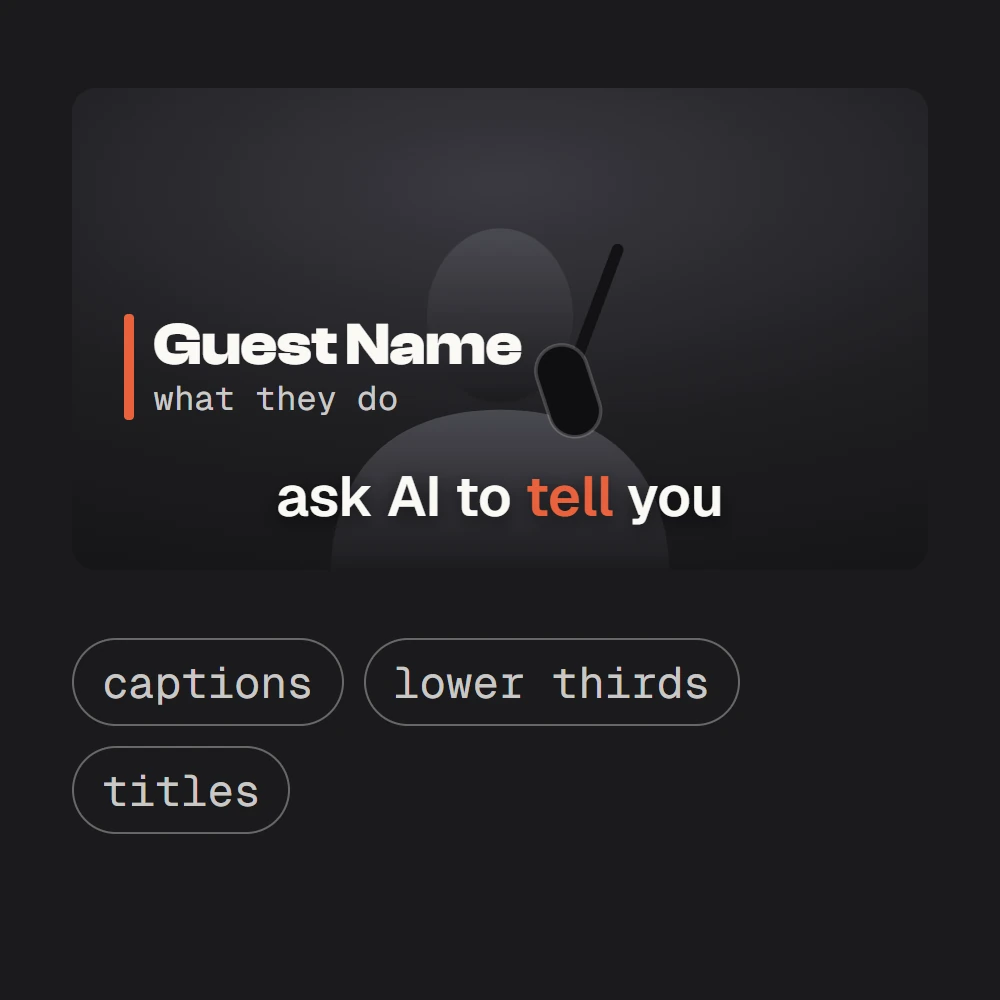
HyperFrames is how Claude makes things that move: captions, lower thirds, title screens, split screens. One sentence installs it.
- Free and open source, by HeyGen
- Claude designs your graphics as a web page, you play them live, then it renders them as video, up to 4K
Install the HyperFrames skills from github.com/heygen-com/hyperframes.
/plugin marketplace add heygen-com/hyperframes/plugin install hyperframes@hyperframesThe official Claude Code plugin. It needs Node.js 22 and FFmpeg.
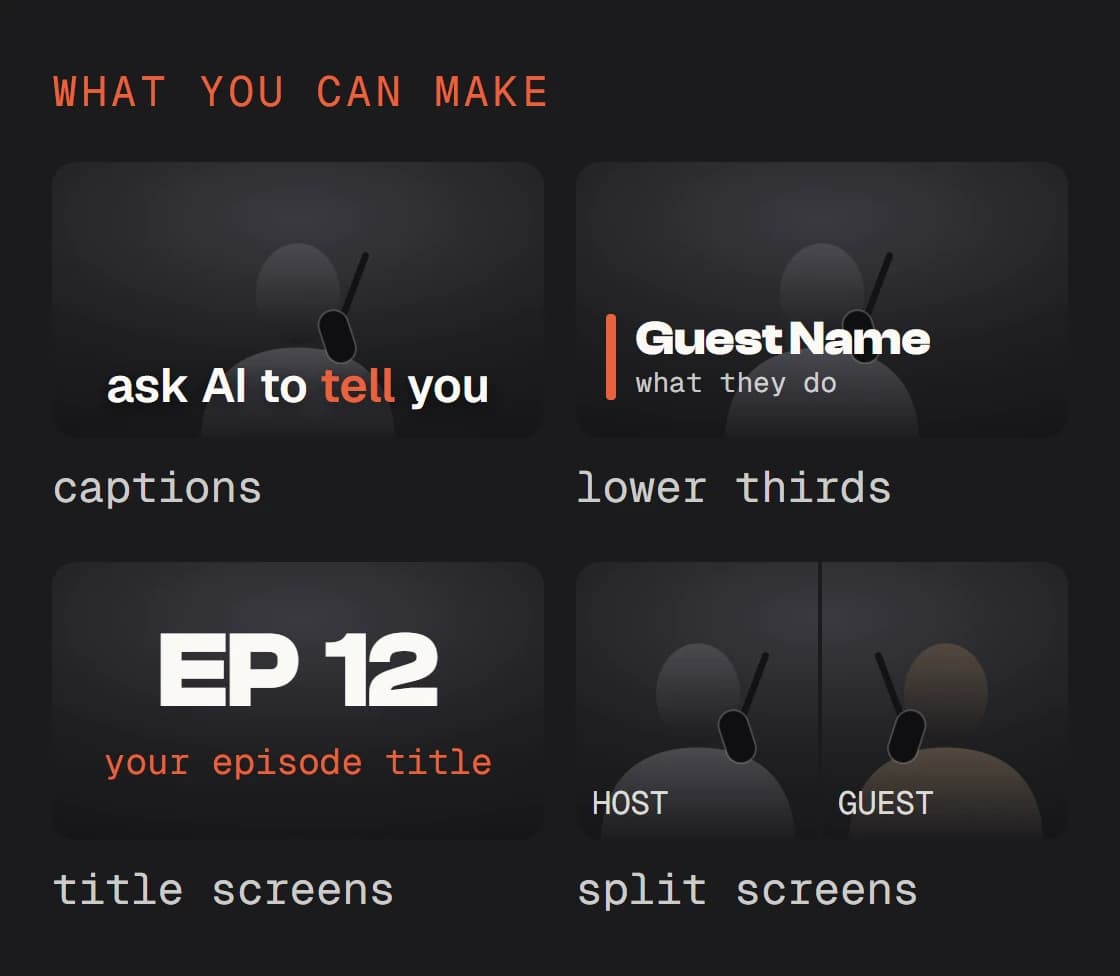
Then ask for one. Say who it is for, when it comes in and how long it stays.
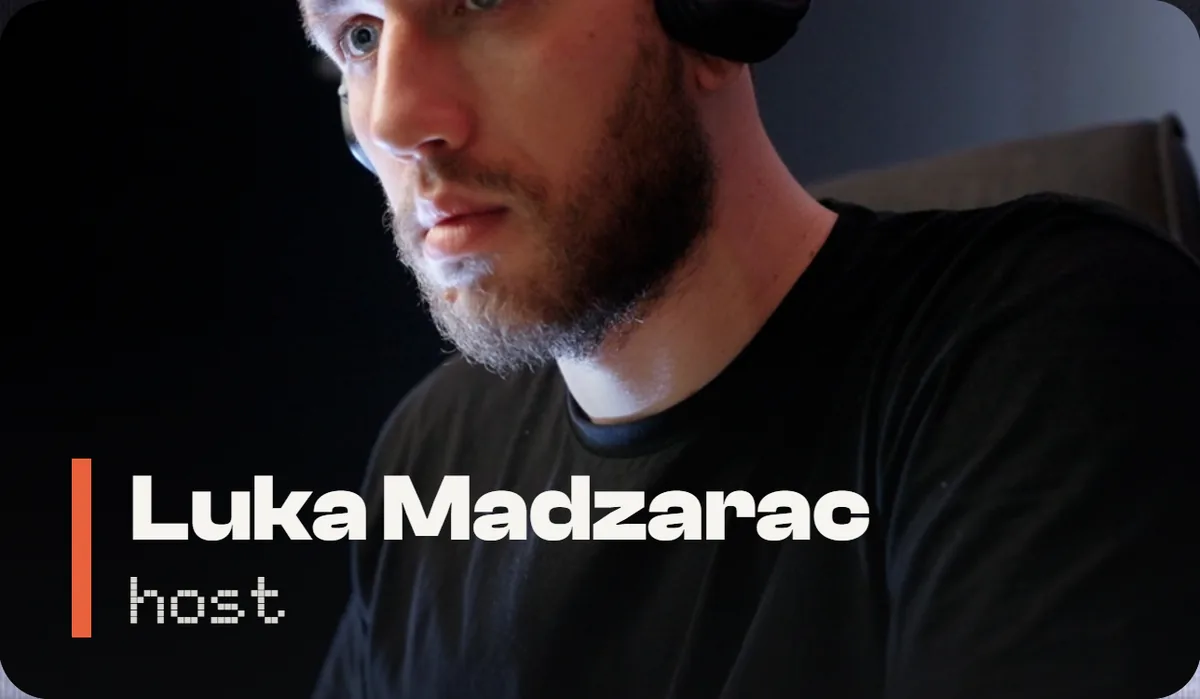
Make a lower third for my guest: [name], [what they do]. In my show’s fonts and colours, in at 0:12, out after 4 seconds, clear of the captions. Open it in the Studio before you render.
Write your show’s skill
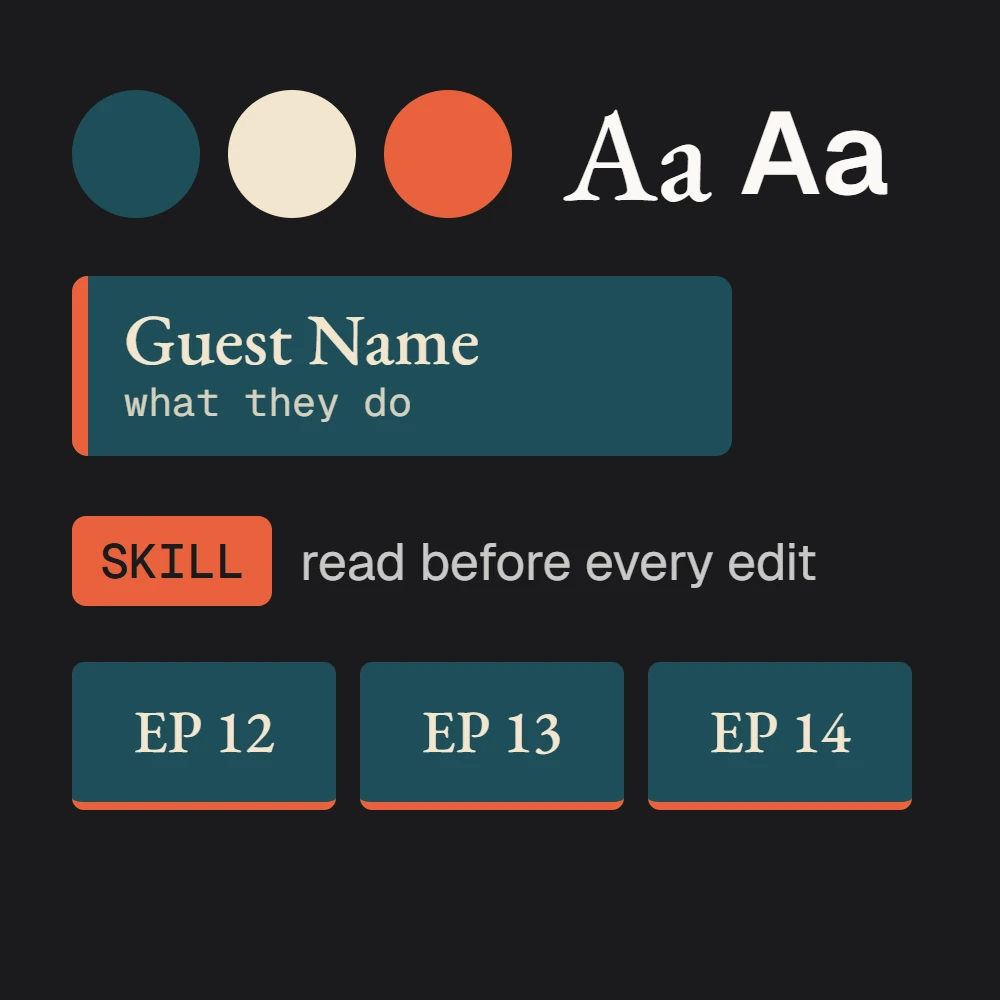
A skill is one file that tells Claude how your show is edited: its fonts and colours, its lower third, how its titles and captions move, how you cut. Claude reads it before every edit, so every episode starts in your style. It writes the file from what you already have: a few edited episodes and your brand files.
Study these three episodes of [show name] and my brand files, and write a skill for how my show is edited: the fonts, the colours, the logo, the title screen, the lower third, the captions, how I cut, and what a good episode looks like. Ask me what you cannot tell from the files, then show me the skill and wait for my OK.
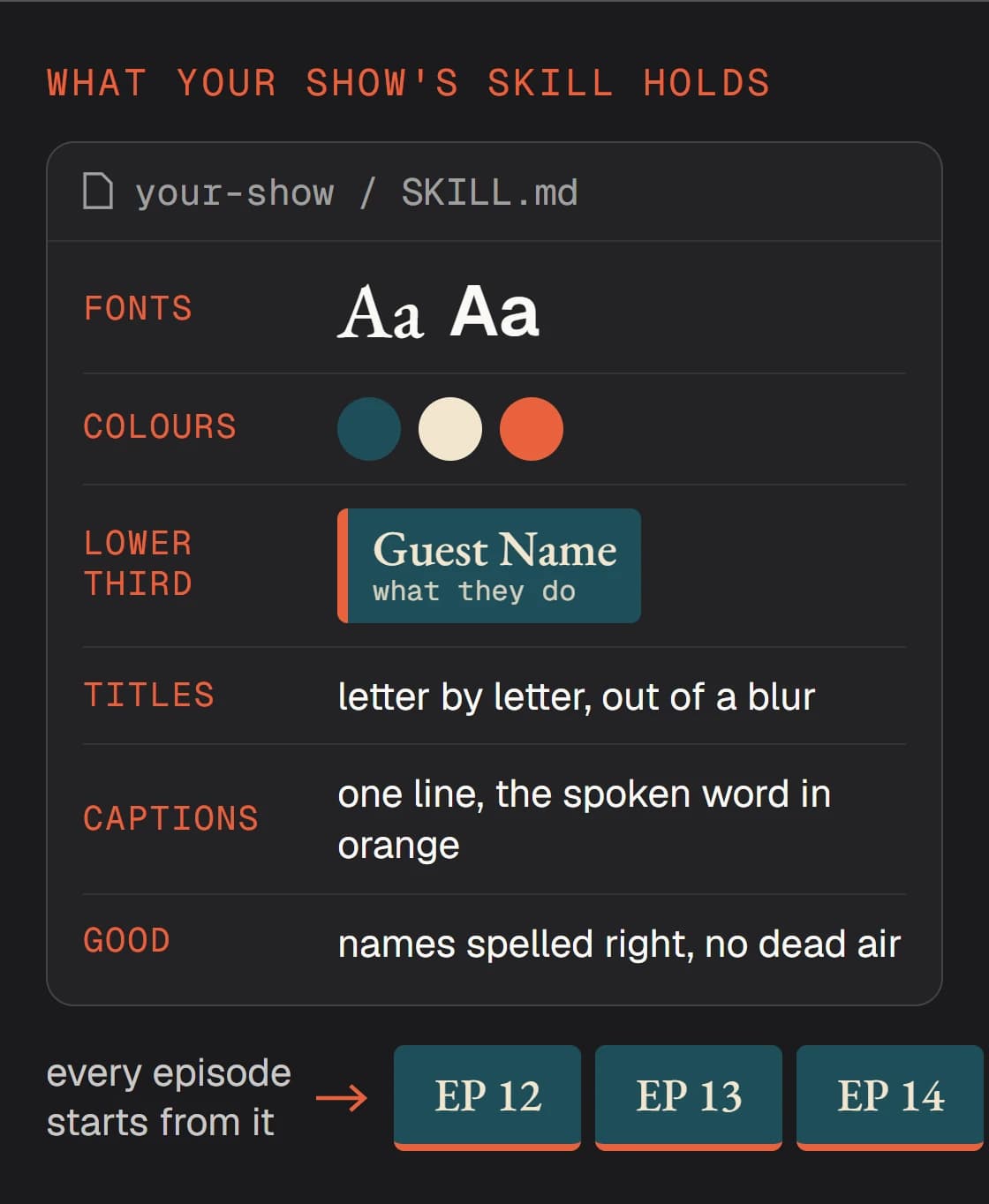
Read it like a brief for a new editor. If a line is wrong, say so in plain words (“the captions are one line, never two”) and Claude changes the skill, not just this episode. Next time it is one line: use my [show name] skill on this episode.
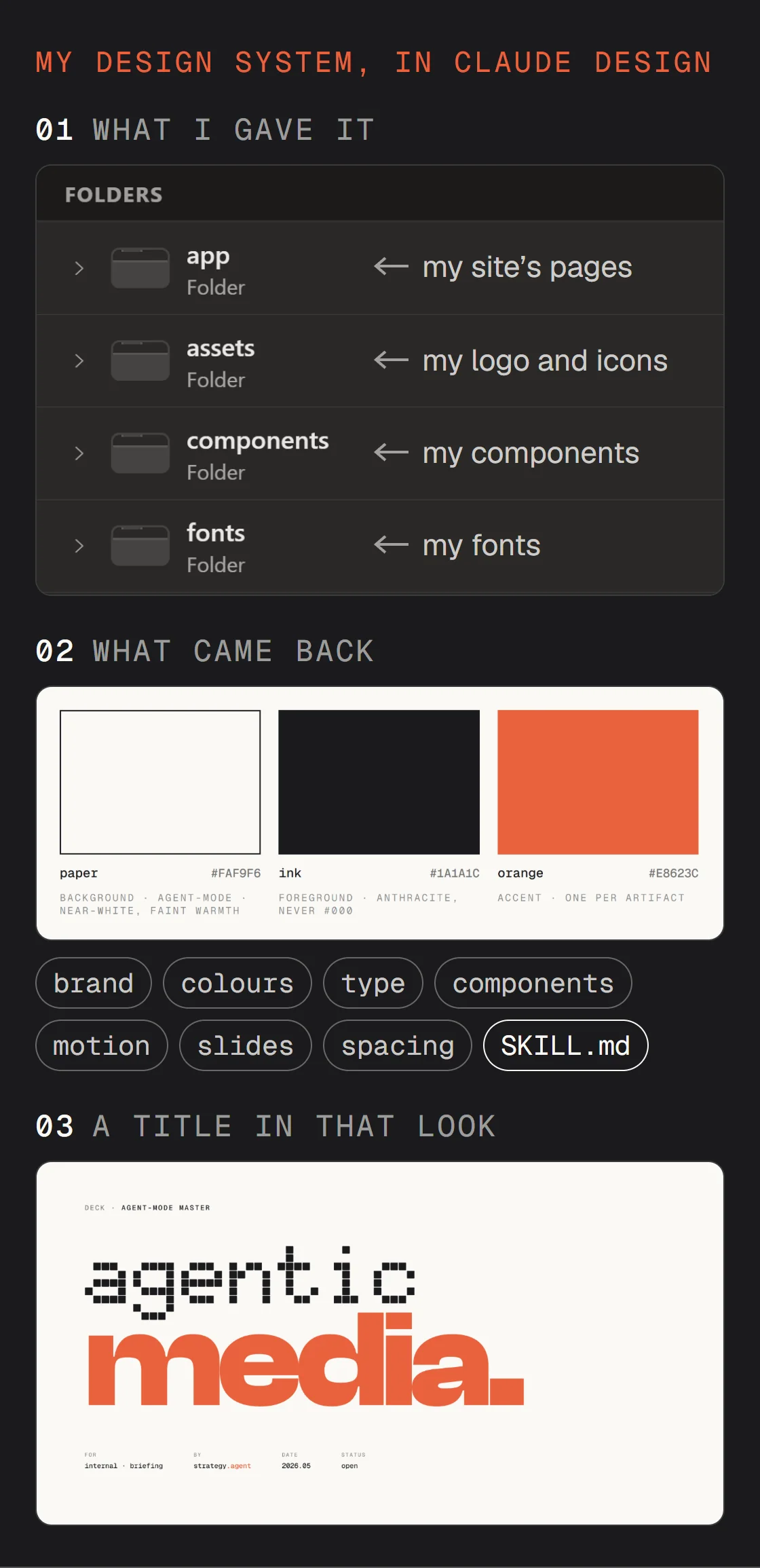
No written look yet, only a logo? On a Pro, Max, Team or Enterprise plan, Claude Design can build a design system first (Design in the sidebar, then Design System; in beta), and the same prompt then reads it too. Mine, for my studio, below.
Edit an episode your way
With the three in place, one prompt runs the whole edit, and you stay the one who decides.
- 01WhisperXThe words of the episode, each with its time.
- 02ClaudeThe best lines and the cuts, as a list you approve.
- 03HyperFrames, in your show’s styleCaptions, lower thirds and titles on the cut, from your skill.
- 04YouWatch it in the Studio, give notes, then say render.
Use my [show name] skill on this episode: transcribe it with WhisperX, cut the dead air, add a lower third for each guest and captions on every word. Show me the plan first, then open it in the Studio before you render.
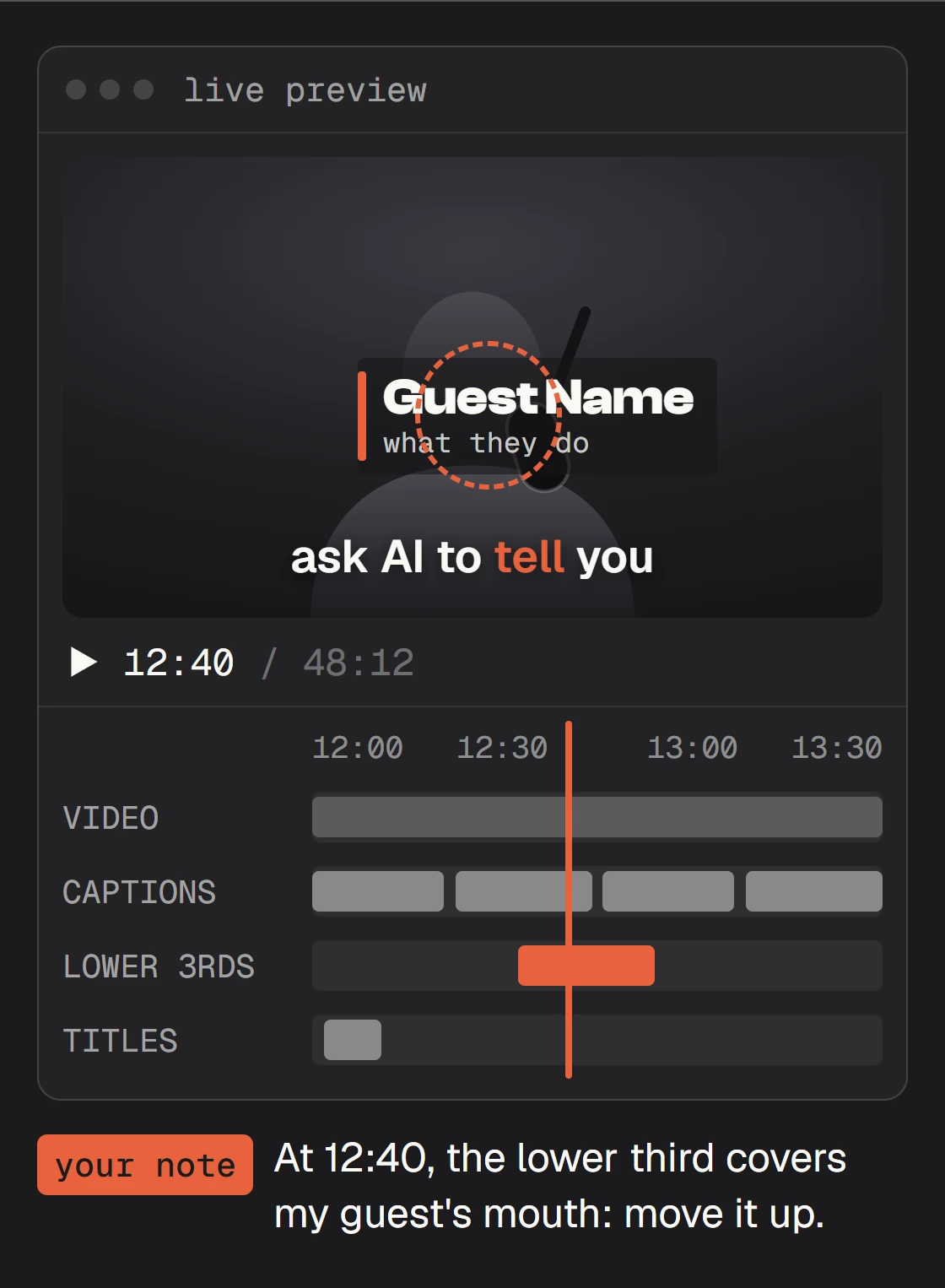
At 12:40, the lower third covers my guest's mouth: move it up. Captions on one line, never two.
Approved. Render the episode in 4K (3840 x 2160) and each clip vertical (2160 x 3840), MP4.
Quick fixes
The first cut is not what I meant
Fix it in the plan, before anything is cut. Ask for the list first (the moments it keeps, the pauses it takes out, with their times), strike what you want kept, and say why: “keep the pause before the punchline, it is part of the joke.”
WhisperX stops with a CUDA or cuDNN error
Run it on the processor instead: “run WhisperX with --device cpu --compute_type int8.” It is slower, and it works on any computer, a Mac included.
Everyone is one speaker
Speaker labels need a free Hugging Face read token, and you accept the terms of the speaker-diarization-community-1 model once. Claude walks you through both, then runs it again with speakers on.
It says SPEAKER_00 and SPEAKER_01
That is how WhisperX labels speakers. Tell Claude once who is who: “SPEAKER_00 is me, SPEAKER_01 is my guest, [name].”
Names and show words come out wrong
Give Claude your guest's name and the words your show uses, and ask it to correct them in the transcript before it cuts or captions anything.
The graphics do not look like my show
Ask Claude to read your show's skill first (step 03). No skill yet? Give it your logo, your fonts and two frames you like before it designs anything.
Find the three best 30-second moments in this episode and cut each into a vertical clip with captions in my show's style. Show me the plan first.
Make a title screen for episode 12: the number, the title, my logo, 3 seconds.
Put me and my guest side by side while we both talk, in my show's frame.
Write the show notes from the transcript: a short summary, chapters with their times, and every link we mention.
An independent guide by Luka (@omgluka), made at Engram. WhisperX is an open-source project by Max Bain and contributors; its speaker labels come from pyannote. HyperFrames is an open-source project by HeyGen. Claude, Claude Code and Claude Design are made by Anthropic. None are affiliated with this guide.