On 30 September 2026 Brandon Thomas made the first commit of FilmCraft. A week later PetaPixel was reporting free, open-source rebuilds of Photoshop, Premiere and Lightroom, and by CineD’s count on 12 October there were seven apps modeled on Adobe’s, all from his company ArtCraft, all written in Rust. He says he used Claude Opus 5.5 to write the code. Two of them are for video. Here are the real links, and what their own pages say they can and can’t do.
the order to try them
- 01Get themfrom their own pages
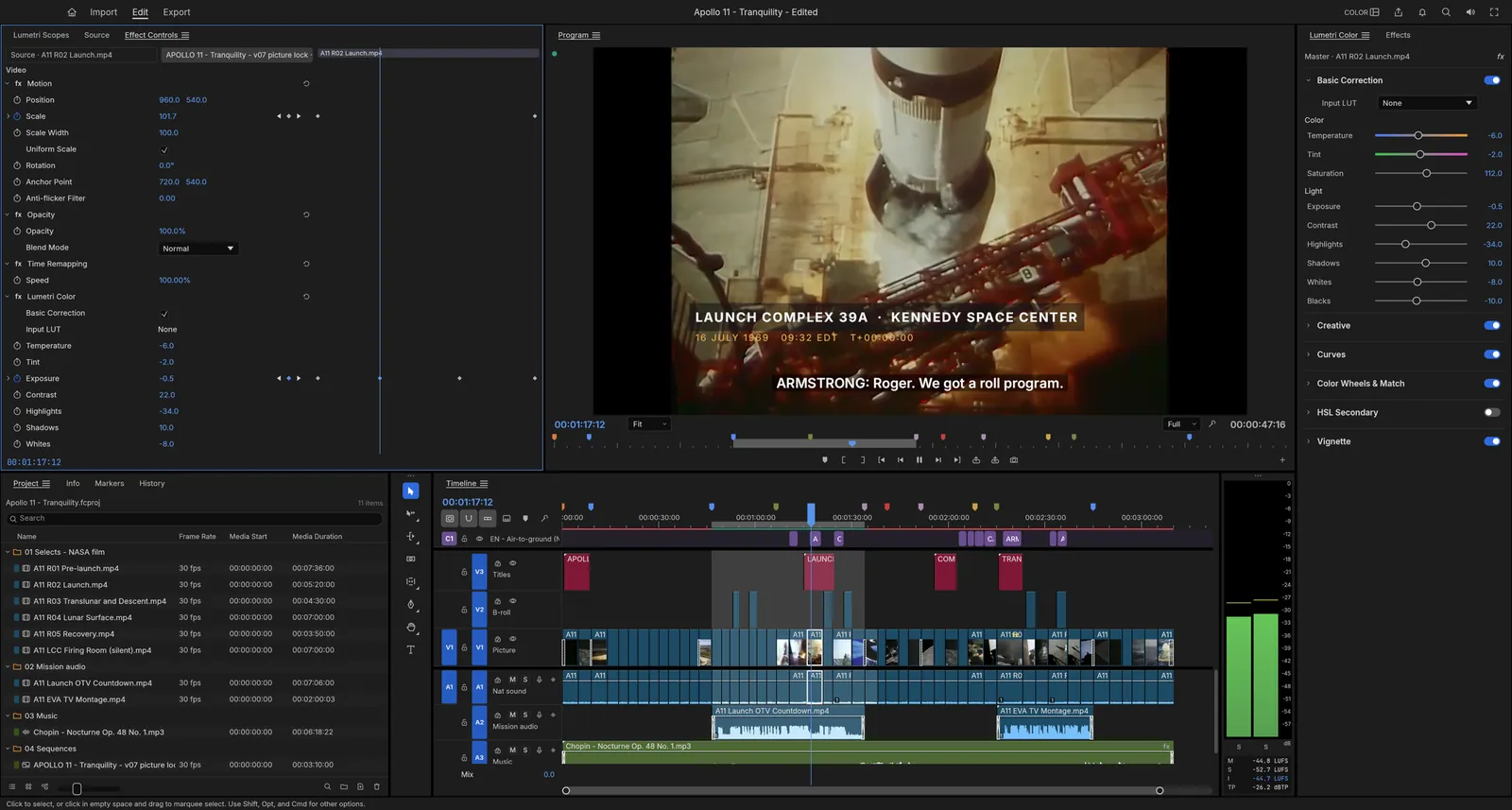
 FilmCraftfor Premiere Pro users
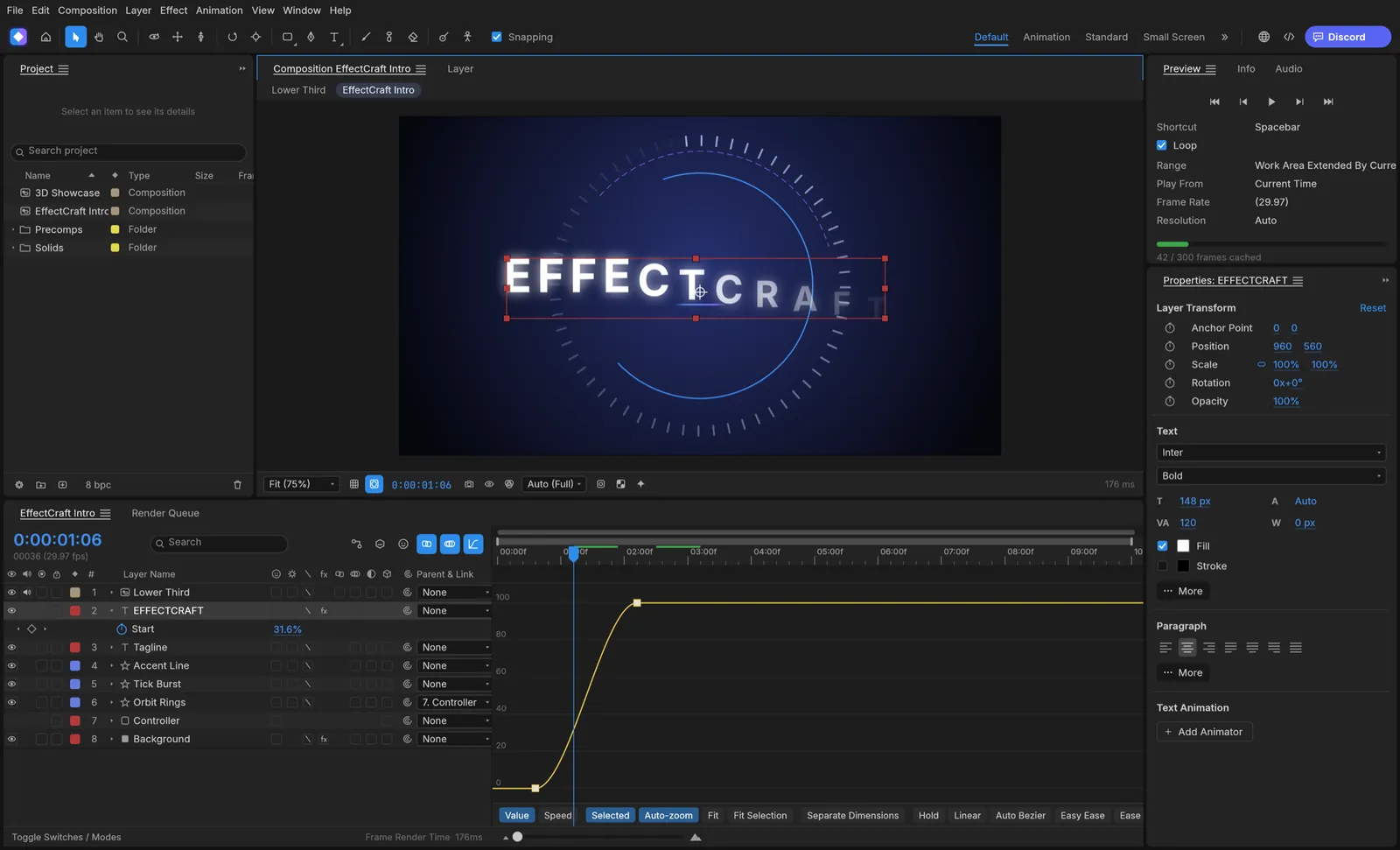
 EffectCraftfor After Effects users
- 02Open a real cutas FCP XML, AAF or OTIO
 03Let Claude drive itthrough its MCP server
- 04Know where they stopin their own words
- no .prprojFilmCraft: no Premiere projects
- no .aepEffectCraft: no After Effects projects
- no plug-insno VST3, OpenFX or AE SDK plug-ins
sound familiar?
Try it on a copy. Not on client work, yet.
What you need
Both apps are free and run on macOS, Windows and Linux, and in a browser.
- A Mac, a Windows PC or Linux
- A copy of a short project
- Claude Code, for step 03
the two apps
FilmCraft for Premiere Pro users
- what
- a non-linear video editor: edit, color, sound
- first commit
- 30 Sep 2026
- on its page
- 0.6.0
- on GitHub
- 0.13.0 (25 Oct)
EffectCraft for After Effects users
- what
- motion graphics, compositing and effects
- first commit
- 1 Oct 2026
- on its page
- 0.8.0
- on GitHub
- 0.17.0 (25 Oct)
Get them from the source
Download them from one of two places only: the app’s page on getartcraft.com, which its README calls the easiest way to install it, or its releases on GitHub, under storytold. Each links to the other.
- FilmCraft
- EffectCraft
Then pick the build for your computer:
- Windows
- The 64-bit MSI (windows-x64.msi). By default it installs for your account, into %LOCALAPPDATA%\Programs\ArtCraft\FilmCraft (or \EffectCraft). ARM and 32-bit builds are there too.
- macOS
- The universal DMG, for Apple silicon and Intel Macs, signed and notarized.
- Linux
- An AppImage, a Flatpak (flatpak install --user <file>), a .deb or an .rpm.
- Every Craft app
- The ArtCraft Launcher installs and updates them all from one window. Their pages call it the recommended way.
They move fast. On 27 October the pages offered FilmCraft 0.6.0 and EffectCraft 0.8.0, while GitHub’s newest releases were 0.13.0 and 0.17.0. Or let Claude install both and start your first edit:
say to Claude
Install FilmCraft and EffectCraft from github.com/storytold/filmcraft and github.com/storytold/effectcraft, and connect both to Claude Code. Then start a project to edit a video with my raw footage in C:\videos.
what opens
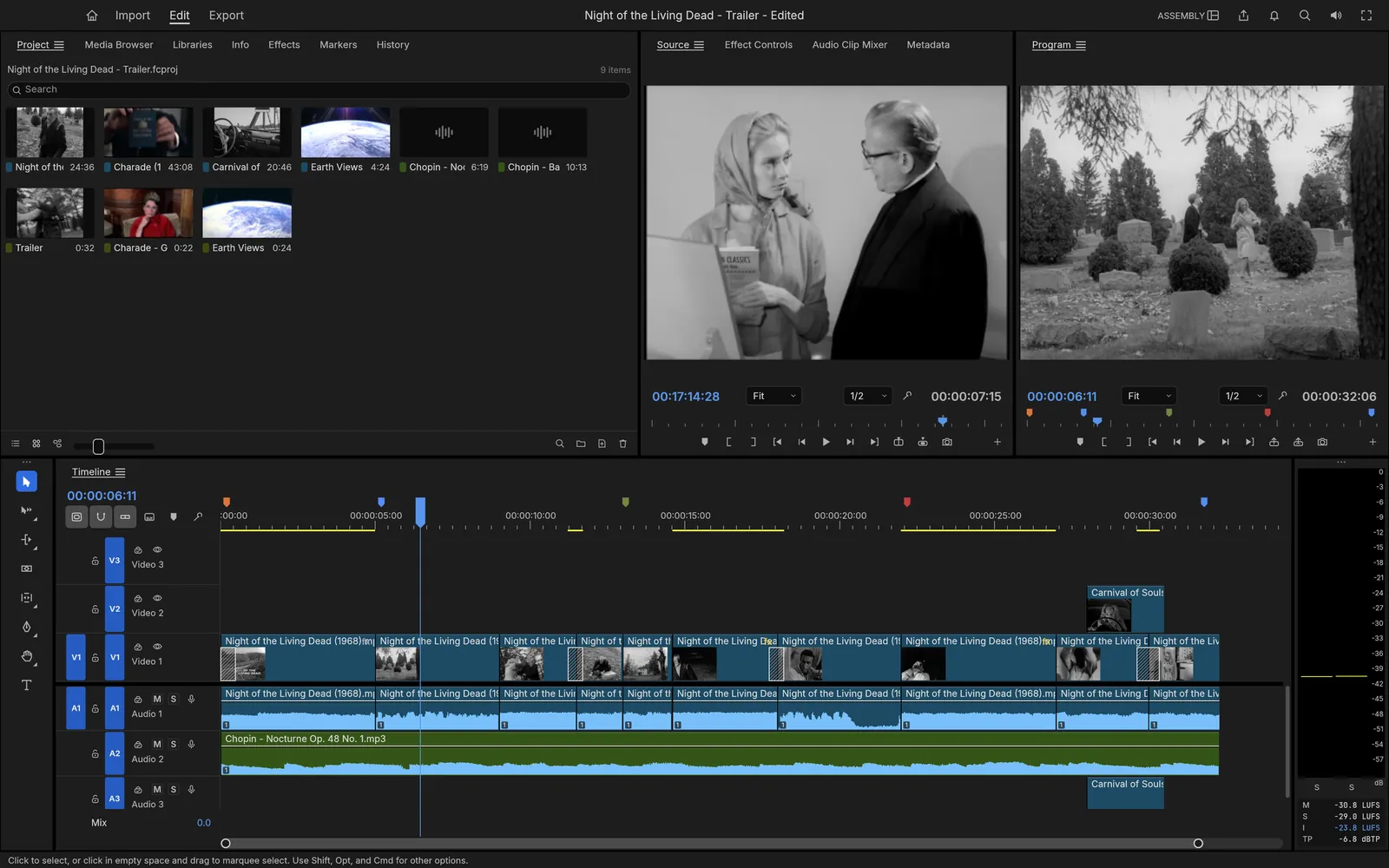
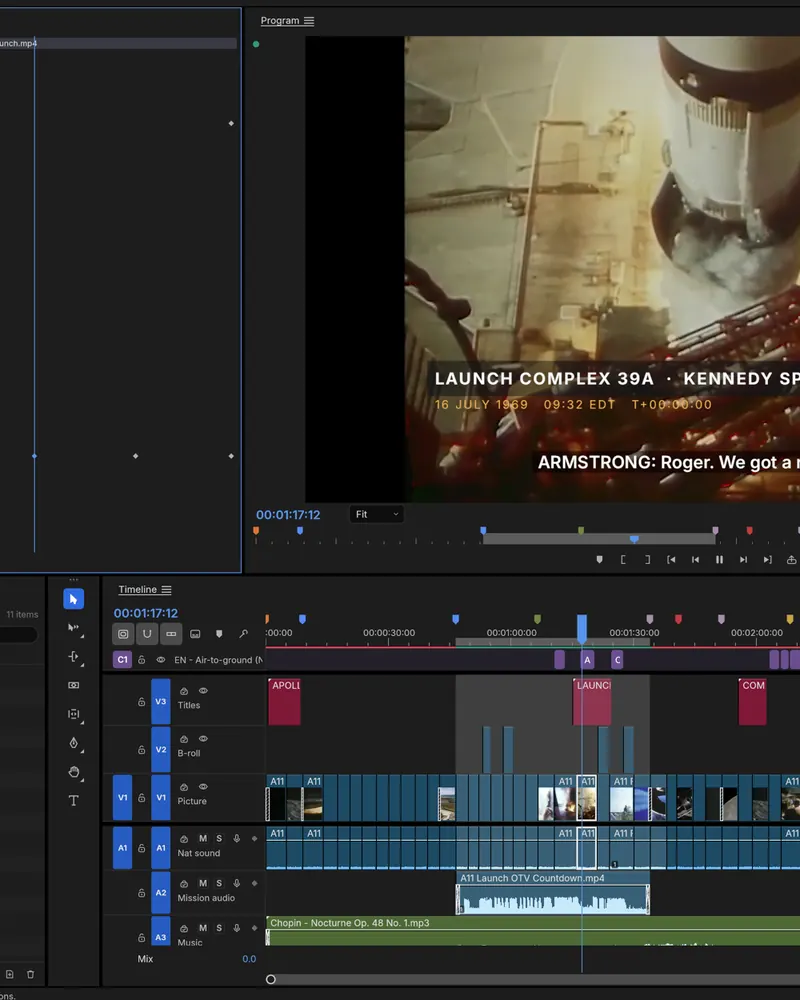
Open a copy of a real cut
FilmCraft can’t open a Premiere project (.prproj) yet. Its README says to bring sequences over as FCP 7 XML, AAF or OpenTimelineIO: the import brings in the bins, the media and the sequences, and links each media file it finds on disk.
- Premiere Pro
- Final Cut Pro
- EffectCraft
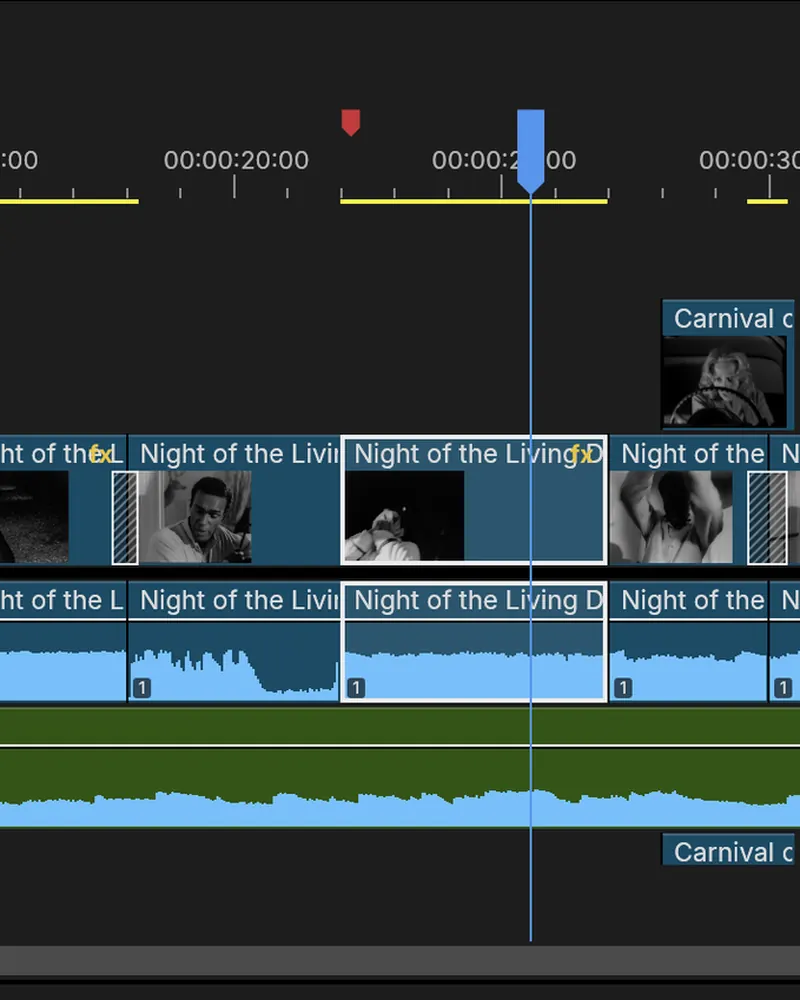
a timeline, up close
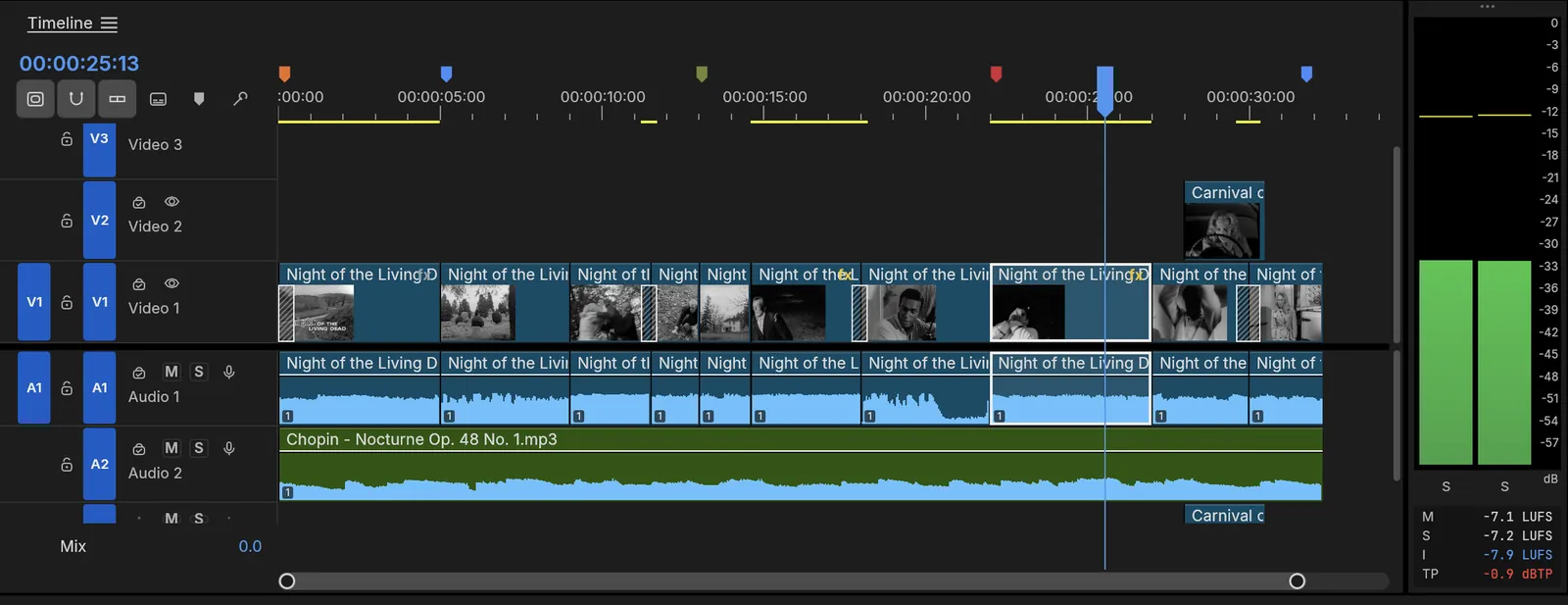
Its README says editing, trimming, multicam, colour, keyframes, effects, titles, captions, mixing, codecs and export work today. Try the parts you use most, first:
effectcraft's graph editor
Let Claude drive it
Every menu item, button and slider in FilmCraft is a command, more than 650 of them, and both apps serve their commands over MCP, so Claude can cut, trim, grade and export the way you do. The Windows installer and the Linux .deb and .rpm include each app’s command-line tool (on a Mac it is a separate download), so one line in a terminal connects it to Claude Code.
how Claude drives them
- you
- 01 · drivesClaude Code
- 02 · over MCPits MCP serverfilmcraft-cli mcp
- 03 · runsthe appheadless, no window
- cut, trim, grade, export
in a terminal · Windows PowerShell
claude mcp add filmcraft -- "$env:LOCALAPPDATA\Programs\ArtCraft\FilmCraft\filmcraft-cli.exe" mcpclaude mcp add effectcraft -- "$env:LOCALAPPDATA\Programs\ArtCraft\EffectCraft\effectcraft-cli.exe" mcp
The default install folders, from their docs.
in a terminal · macOS or Linux
claude mcp add filmcraft -- filmcraft-cli mcpclaude mcp add effectcraft -- effectcraft-cli mcp
On a Mac the tool is its own download (filmcraft-cli-<version>-macos-universal.zip): unzip it onto your PATH first.
filmcraft · docs/agents.mdeffectcraft · docs/agents.md
This starts each one headless, an editing session with no window, on an empty project. Add --demo after mcp to start on its demo project. Then ask:
say to Claude
Use the filmcraft tools. List the commands for trimming and for export. Then import [my-cut.xml], tell me what came in and what did not, and render the frame at 10 seconds so I can see it.
driven by an agent
Know where they stop
Both are alpha releases, and both READMEs say so plainly. This is what they say they don’t do yet.
how far along, by their own count
FilmCraft
- feature breadthabout 86%
- ready for real workabout 56%
EffectCraft
- of its tracked features existabout 91%
- of the way to production workabout 45%
in their own words
FilmCraftEffectCraftFilmCraftAlpha. About 86% feature breadth and about 56% ready for real work, its own estimate (re-measured 10 October).
EffectCraftAlpha, first commit 1 October 2026. About 91% of its tracked features exist, about 45% of the way to production work.
FilmCraftCan’t open .prproj files yet. Bring sequences over as FCP 7 XML, AAF or OTIO.
EffectCraft“Proprietary project formats and After Effects SDK plug-ins are not supported.” It saves its own .ecproj.
FilmCraftNo VST3, Audio Units or OpenFX hosting.
EffectCraftNo After Effects SDK plug-ins.
FilmCraftColor grading, keys and export rendering still run on the CPU. Windows and Linux get far less testing than macOS.
EffectCraftmacOS is the most tested. Linux and Windows users have hit basic interaction bugs. Fidelity is still being refined.
FilmCraftH.264 is its only software delivery-codec export (ProRes and DNxHR too). H.265 only through a hardware encoder, no AV1 export, no camera RAW.
EffectCraftH.264, ProRes, HEVC, AV1, WebM, image sequences, GIF and Lottie, all its own encoders.
FilmCraftIts README makes no client-work call. It rates itself about 56% ready for real work.
EffectCraft“It isn’t yet recommended for production client work.”
And “built with Claude” is Brandon Thomas’s own account. CineD, which wrote about both apps on 12 October, notes that how much of the code the model wrote rests on what he says.
before you rely on it
Quick fixes
FilmCraft flashes and quits on Windows
Its README: the app starts with Vulkan or DirectX 12, and some AMD drivers crash before the window appears. In PowerShell, in the app's folder, run $env:WGPU_BACKEND = "vulkan" and then & .\filmcraft.exe (or try "dx12"). Remove-Item Env:WGPU_BACKEND puts the default back.
It won't open my Premiere project
FilmCraft can't open .prproj files yet. Export the sequence from Premiere as Final Cut Pro XML (or AAF or OTIO) and import that (step 02).
It won't open my After Effects project
EffectCraft does not read .aep files and runs no After Effects plug-ins. Rebuild the piece in it, or bring an animation in as Lottie JSON.
Drag and drop does nothing on Linux
EffectCraft's README: on native Wayland the window gets no drop events. Use File > Import > File, or start it under XWayland with env -u WAYLAND_DISPLAY effectcraft.
The version on the page is older than GitHub's
Both are official. On 27 October getartcraft.com offered FilmCraft 0.6.0 and EffectCraft 0.8.0, and GitHub's latest releases were 0.13.0 and 0.17.0. Check any file against its release's SHA256SUMS.txt.
Did Claude really write it?
That is Brandon Thomas's own account: he says he used Claude Opus 5.5 to write the code, and CineD notes that how much of it the model wrote rests on what he says. Both repositories carry a CLAUDE.md and an AGENTS.md, the instructions agents read when they work on the code.
Where do I report a bug?
On each app's GitHub page, under Issues, or on the ArtCraft Discord (discord.gg/artcraft), both linked from their READMEs.
bonus · prompts once Claude can drive them
Use the filmcraft tools to list every command that is enabled right now, grouped by menu.
Put these clips on V1 in this order: [clips]. Then render the frame at every cut so I can check them.
Use the effectcraft tools to make a five-second lower third with my name, then export it as Lottie JSON.
Read the README of github.com/storytold/effectcraft and tell me which of my After Effects habits it does not support yet.
sources
- FilmCraft README, docs/agents.md and releases
- EffectCraft README, docs/agents.md and releases
- FilmCraft on getartcraft.com
- EffectCraft on getartcraft.com
- CineD, 12 October 2026: ArtCraft releases free open-source Adobe alternatives
- PetaPixel, 7 October 2026: Someone Rebuilt Free, Open-Source Versions of Photoshop, Premiere, and Lightroom Using AI
An independent guide by Luka (@omgluka), made at Engram. FilmCraft and EffectCraft are made by Brandon Thomas and the ArtCraft team and community, and dual-licensed MIT or Apache-2.0. The screenshots and app icons on this page are theirs (Copyright (c) 2026 ArtCraft Team and the FilmCraft and EffectCraft contributors, MIT or Apache-2.0), only resized and cropped; the film frames in them are public domain, as their ATTRIBUTION.md lists. ArtCraft is a trademark of the ArtCraft Team. Premiere Pro and After Effects are trademarks of Adobe, Final Cut Pro of Apple. Claude and Claude Code are made by Anthropic. None are affiliated with this guide.