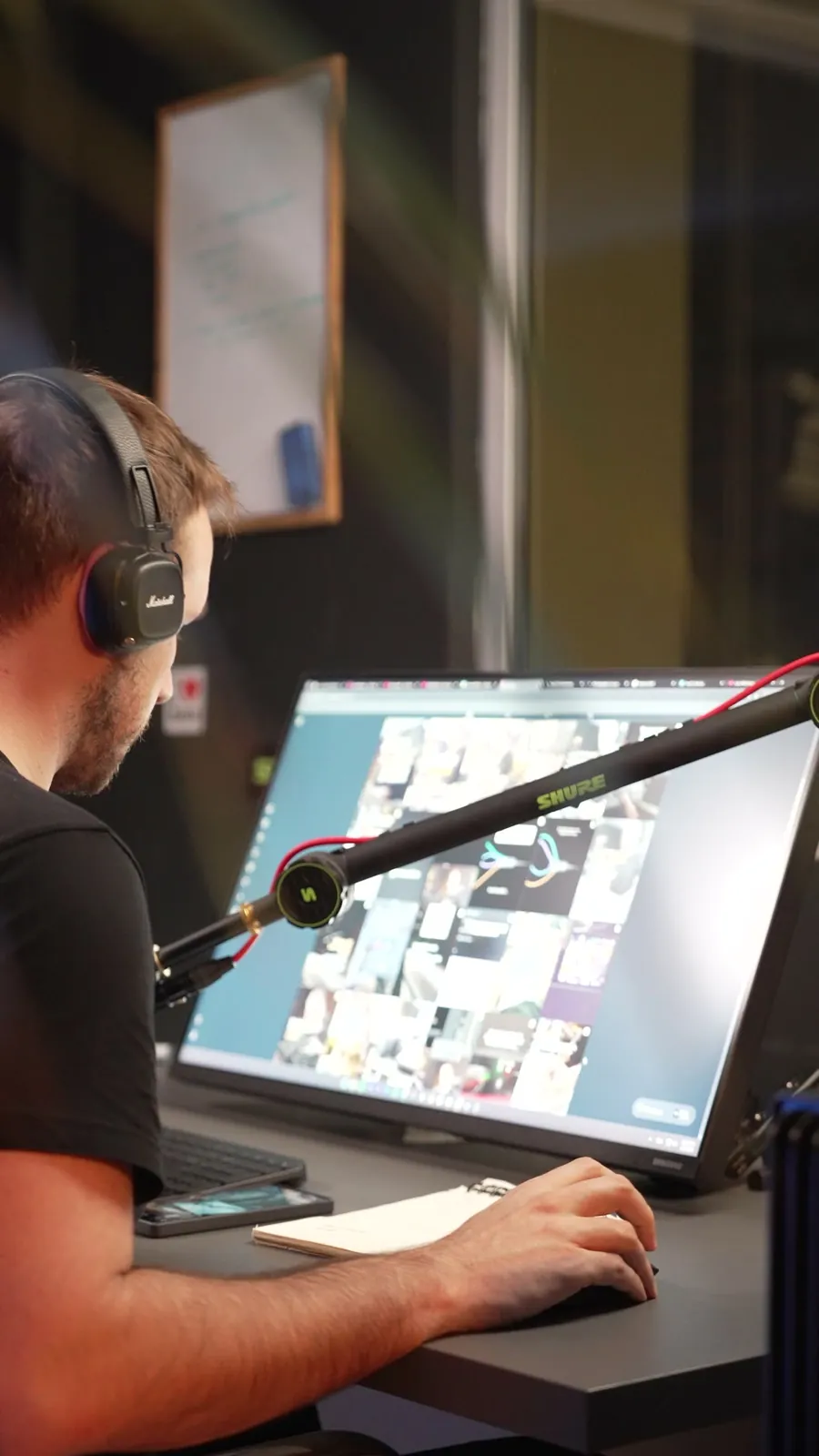
A client reel goes back for changes for the same few reasons: the colours are a shade off, the font is close to theirs, the logo sits on the speaker’s chest, and a note they gave last month came back. Claude can fix all four if you give it three things: their brand in one file, the speaker cut out of the take, and a skill that remembers every note. This is the setup I use.
- You pick their colours off a screenshot and they are a shade off.
- The logo goes on top of the speaker, because there is nowhere else to put it.
- The client gives you the same note on every reel.
Read their brand before the first cut.
What you need
An afternoon for the first client. After that, a line per reel.
- Claude CodeThe version of Claude that works in a folder on your computer: it reads websites, installs tools and runs them for you.
- Their linksTheir website, and two or three of their recent reels saved into the folder (Claude takes frames from them to read the captions).
- The raw takeThe speaker’s video, before any edit. A graphics card makes the cut-out fast. Without one it runs on the processor, slower.
Write their brand file
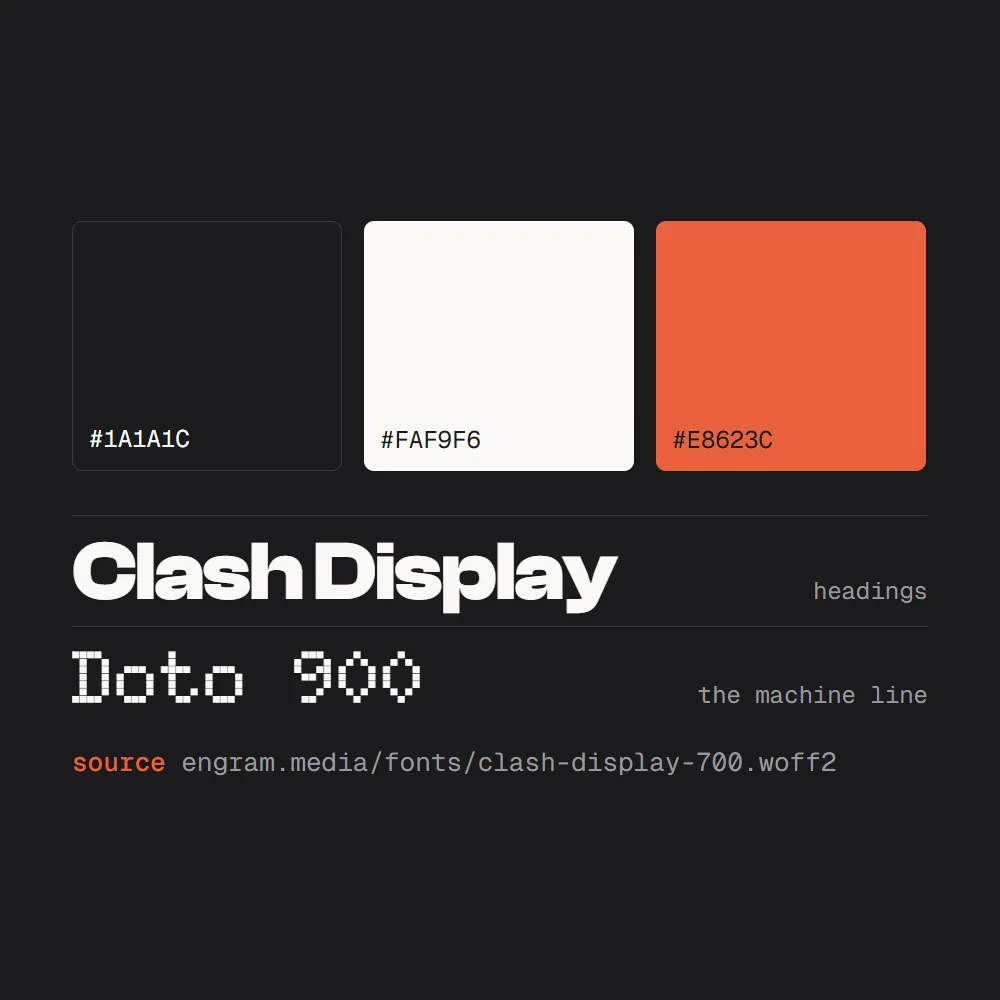
Before the edit, write down how they look, from their own files. Their website’s code holds the exact colours and fonts. Their reels hold the caption style. Claude reads both and writes one file, with the link where it found each value, so nothing in it is a guess.
Read [their website] and the reels in [this folder]. Write their brand as brand.md: every colour with its hex value, every font with its weight and what it is used for, and how their captions look (font, colour, size, where they sit, how they come in). Beside every value, put the link or the file where you found it. If you cannot find a value, write GUESS beside it instead of making one up.
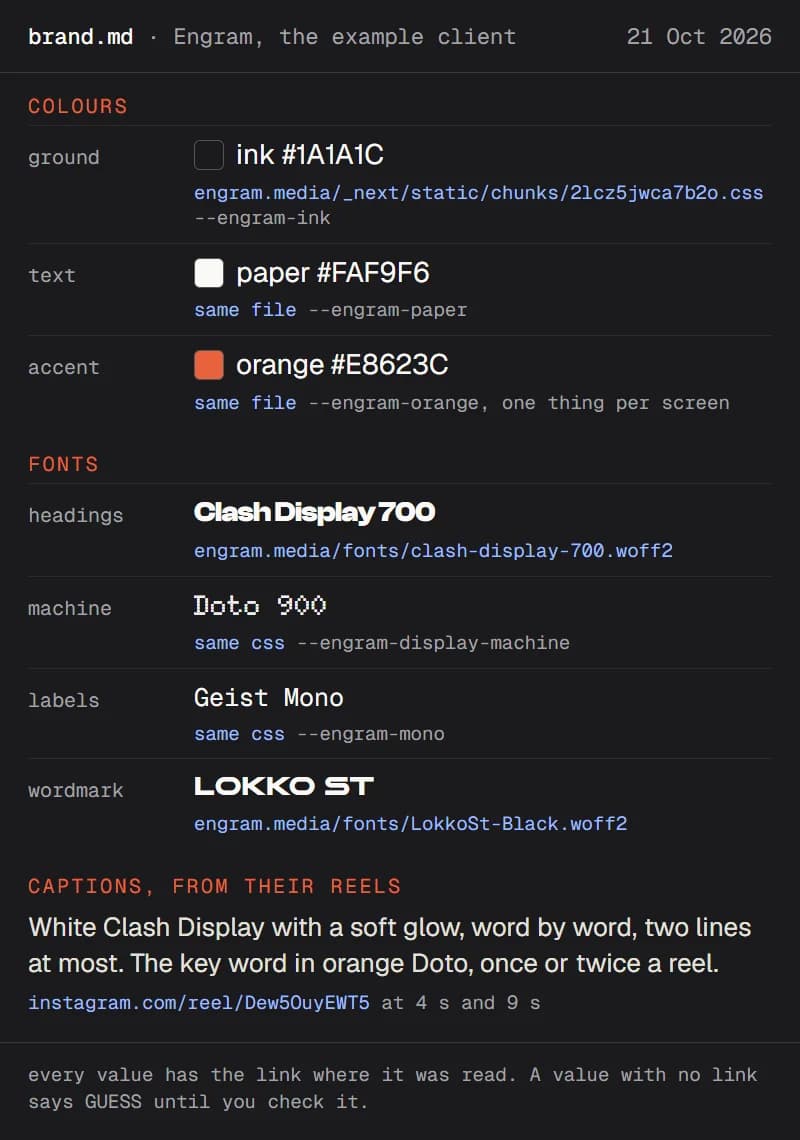
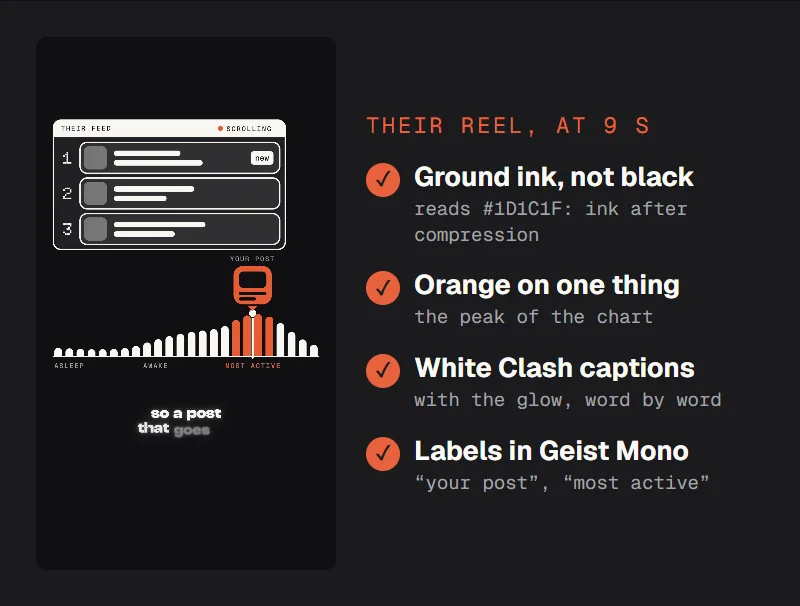
Then hold it against one of their real posts. Stop a reel of theirs on a frame with a caption and go down the file. A row that does not match gets fixed now, before the client sees the first cut.
Take the frame at [9 seconds] of [their reel] and check it against brand.md: the background colour, the accent colour, the caption font and colour, the labels. List anything that does not match.
Cut the speaker out
Their logo behind the speaker, as if it hung on the wall, is what makes a talking-head reel look made for them. For that you need the speaker cut out of every frame. Robust Video Matting does it from a normal take, with no green screen and no empty shot of the room. It is free and open source, and Claude installs it and runs it.
Install Robust Video Matting (github.com/PeterL1n/RobustVideoMatting) and cut the speaker out of [take.mp4]. Load the model through TorchHub, use output_type png_sequence so the background is transparent, then turn the PNGs into a ProRes 4444 video with alpha. Show me one frame on a checkerboard.
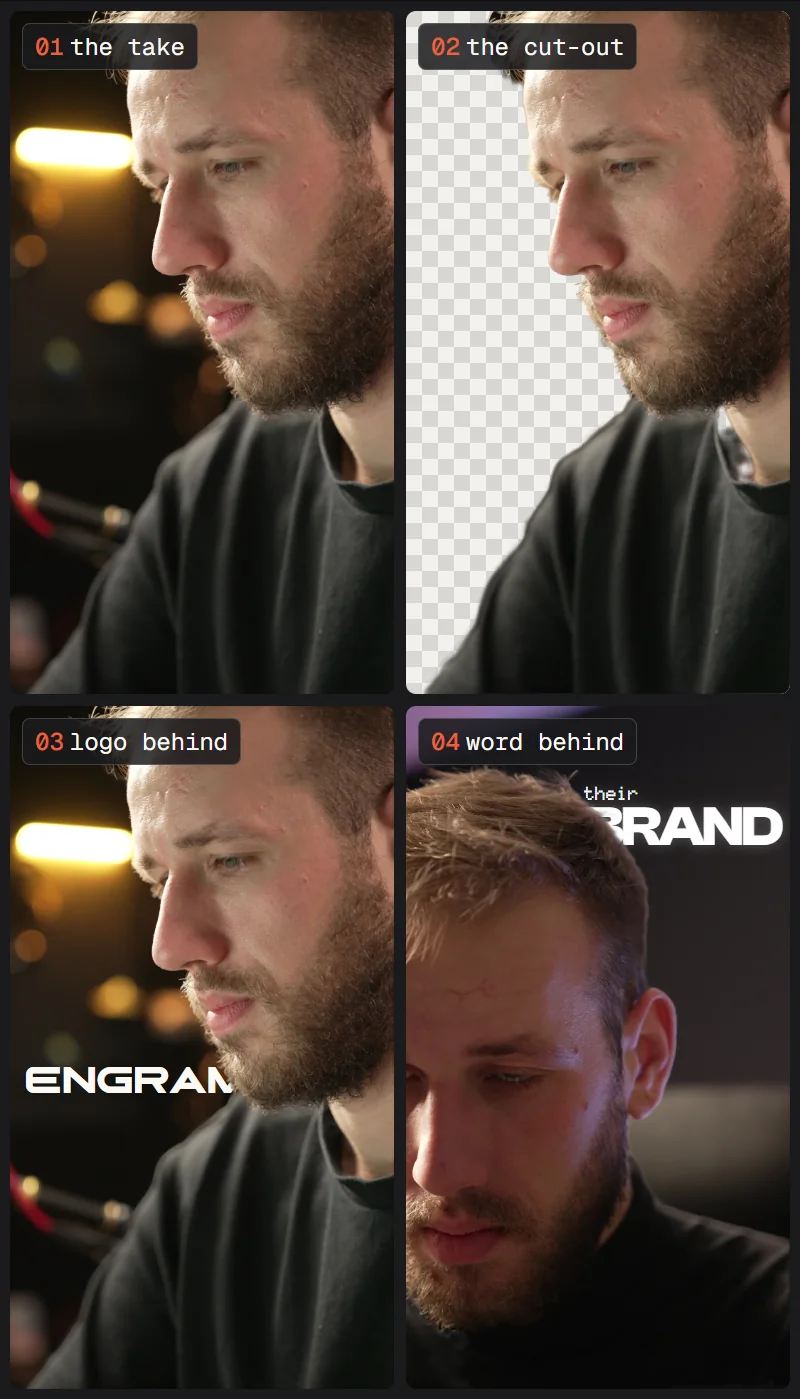
Then put things behind the speaker in plain words. In your editor it is three tracks: the take at the bottom, the logo or the word above it, the cut-out on top.
Put their logo from brand.md behind the speaker’s head, on the left, with a small part of it hidden behind them. Keep the cut-out on top for the whole shot.
On the shot at [12 seconds], put [BRAND] in their heading font behind the speaker, with about a tenth of it hidden.
Save it as a skill
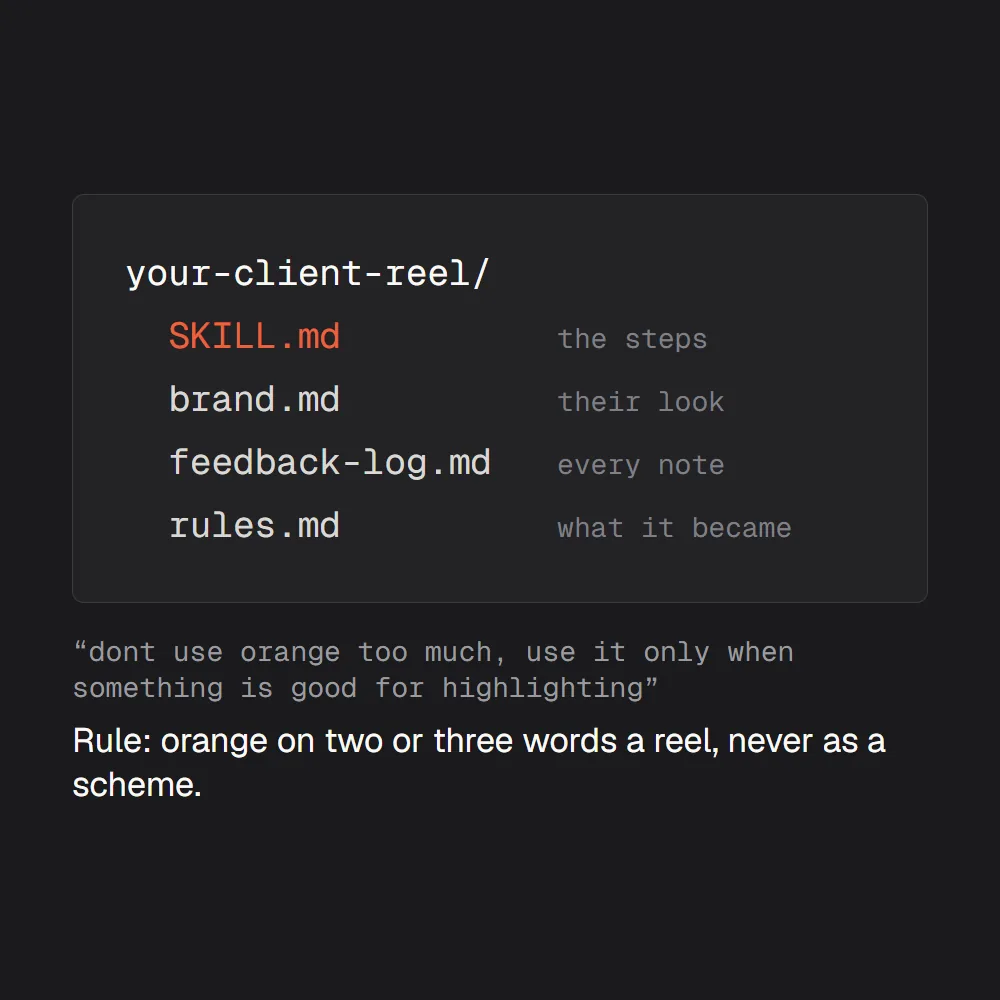
When the first reel is approved, everything you learned about this client is in that one chat: their look, how they like the cut, what they said no to. Save it before you close it. A skill is a folder Claude reads before it works: the steps, their brand file, and a log of every note they gave beside the rule it became.
Save this edit as a skill for [client]: the steps we took, brand.md, and a feedback log. Every note they gave goes in the log word for word, beside the rule it became. Read the skill before every reel for them, and add each new note to the log.
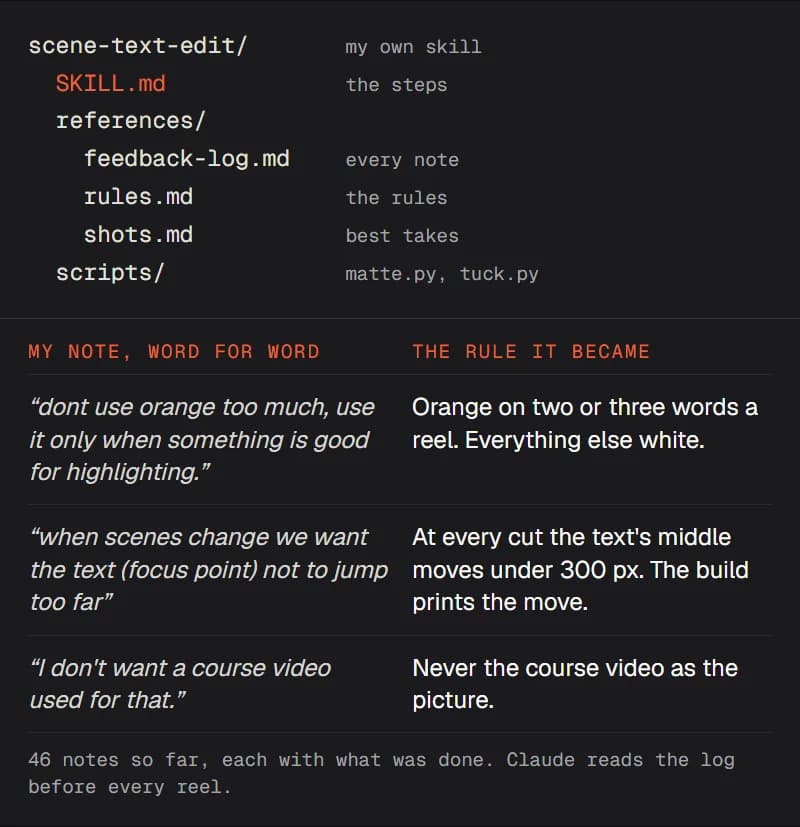
From then on, the next reel for them starts with one line.
Make the next reel for [client] from [take.mp4]. Use their skill.
Check it before you send
Three checks catch most of what a client sends back. Run them on the finished cut, before it leaves your folder.
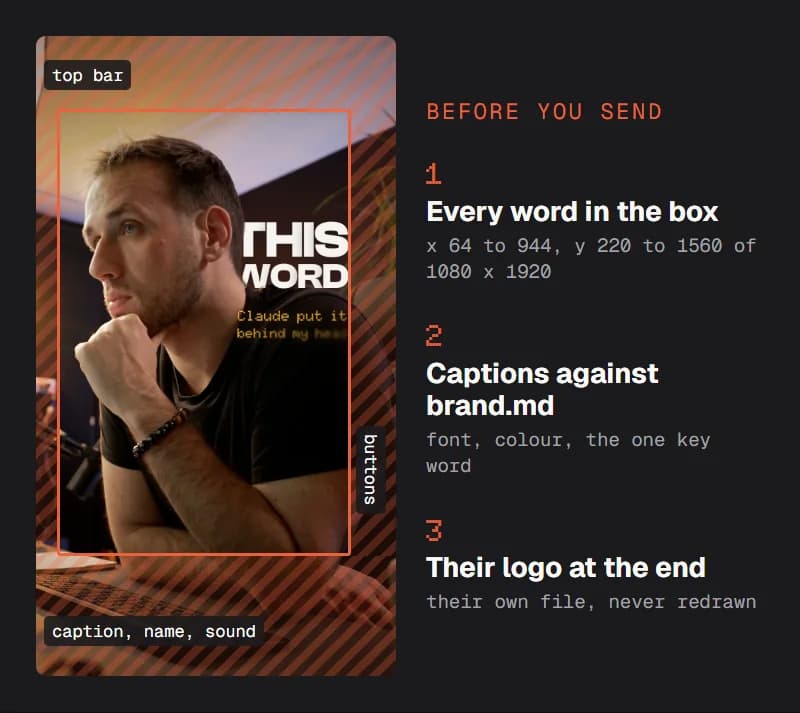
Before I send this, check three things and list what fails: every word sits inside x 64 to 944 and y 220 to 1560 of the 1080 x 1920 frame; every caption matches brand.md; their logo, from their own file, is on the last frame.
Quick fixes
Claude wrote a colour that is not theirs
That is what the links are for. Ask “which lines of brand.md have no link?” and check those against their site. A value read from a screenshot is close, never exact: get it from the site's code or their brand guide.
pip fails on requirements_inference.txt
The file pins the 2021 versions (torch 1.9.0, av 8.0.3), and those do not install on a current Python. Ask Claude to install the current PyTorch and torchvision, then av, tqdm and pims, and to load the model through TorchHub. That is how the cut-out on this page was made.
AttributeError: 'str' object has no attribute 'numerator'
Robust Video Matting's video writer was written for an older PyAV. Ask for output_type png_sequence (transparent PNGs), then turn the PNGs into a ProRes 4444 video with ffmpeg, as the prompt in step 02 does.
The edge of the hair flickers
Run each take on its own, and pick takes where the speaker is in focus and stands out from the wall. For a close-up, the project's guide suggests a downsample_ratio of 0.25 on a 1920 x 1080 frame; for a full body, 0.4.
I have no graphics card
It runs on the processor too, only slower. Cut the take down to the seconds where something sits behind the speaker, and matte only those.
They gave the same note twice
Then the note is not in the skill yet. Paste it in and say: “add this to the feedback log, word for word, with the rule it becomes.” Claude reads the log before every reel for them.
Compare this reel with their last three and list anything that looks off their brand.
Make a contact sheet of this reel, one frame a second, with the safe box drawn on, so I can check it at a glance.
Turn this note into a rule and add both to the feedback log: [their note].
Write the caption for this reel in their voice, from the captions of their last ten posts.
An independent guide by Luka (@omgluka), made at Engram. The cut-out was made on my own take with Robust Video Matting by Shanchuan Lin, Linjie Yang, Imran Saleemi and Soumyadip Sengupta (open source, GPL-3.0). The example brand is my studio’s. Claude and Claude Code are made by Anthropic, who are not affiliated with this guide.