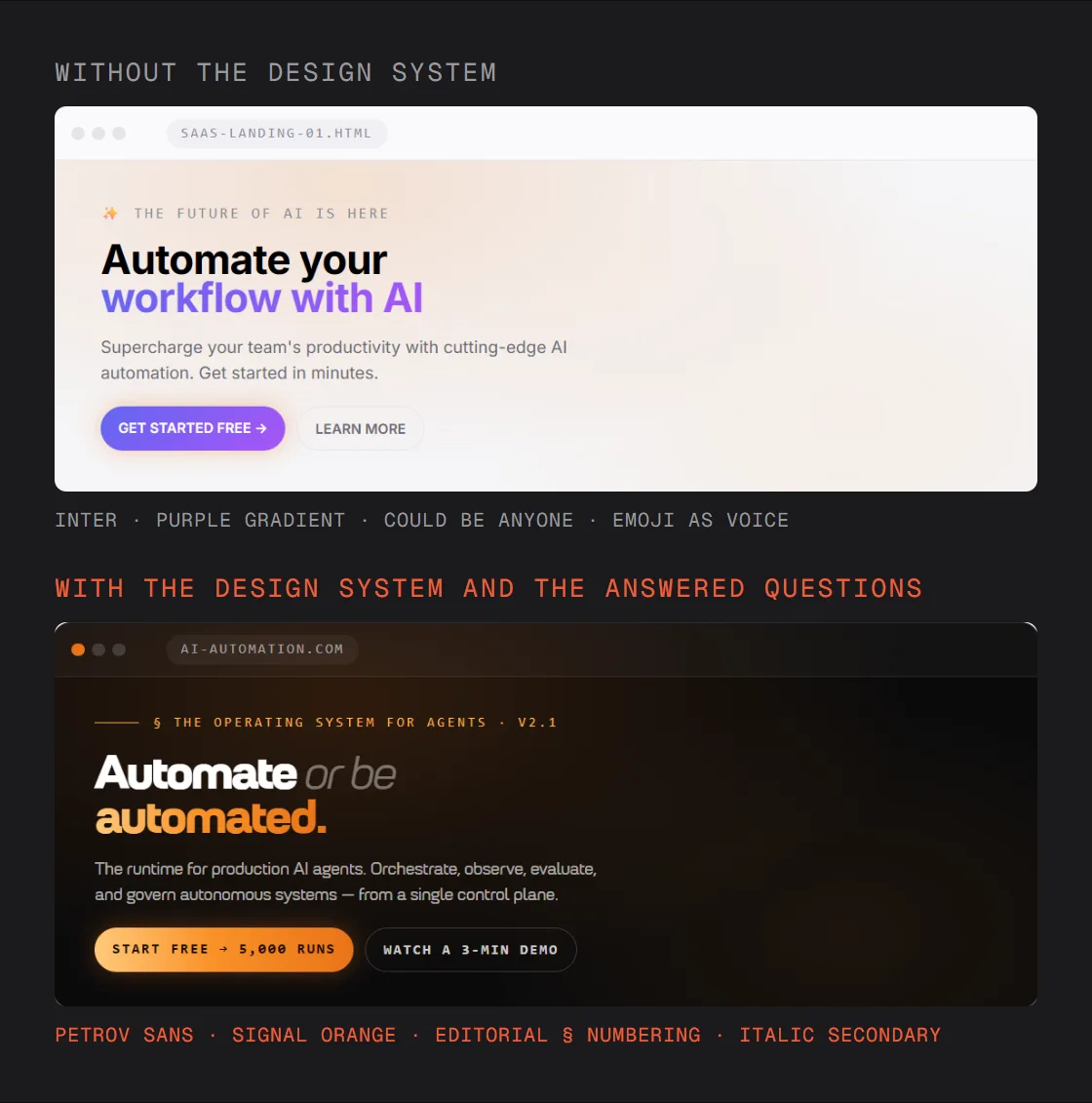
Ask Claude for a landing page with nothing else and you get the average of every landing page it has seen: a purple gradient, three feature cards, Inter. That is not the model’s fault. It had nothing of yours to work from. Give it your brand first and the same prompt comes back looking like you. This is the setup I use, with the prompts.
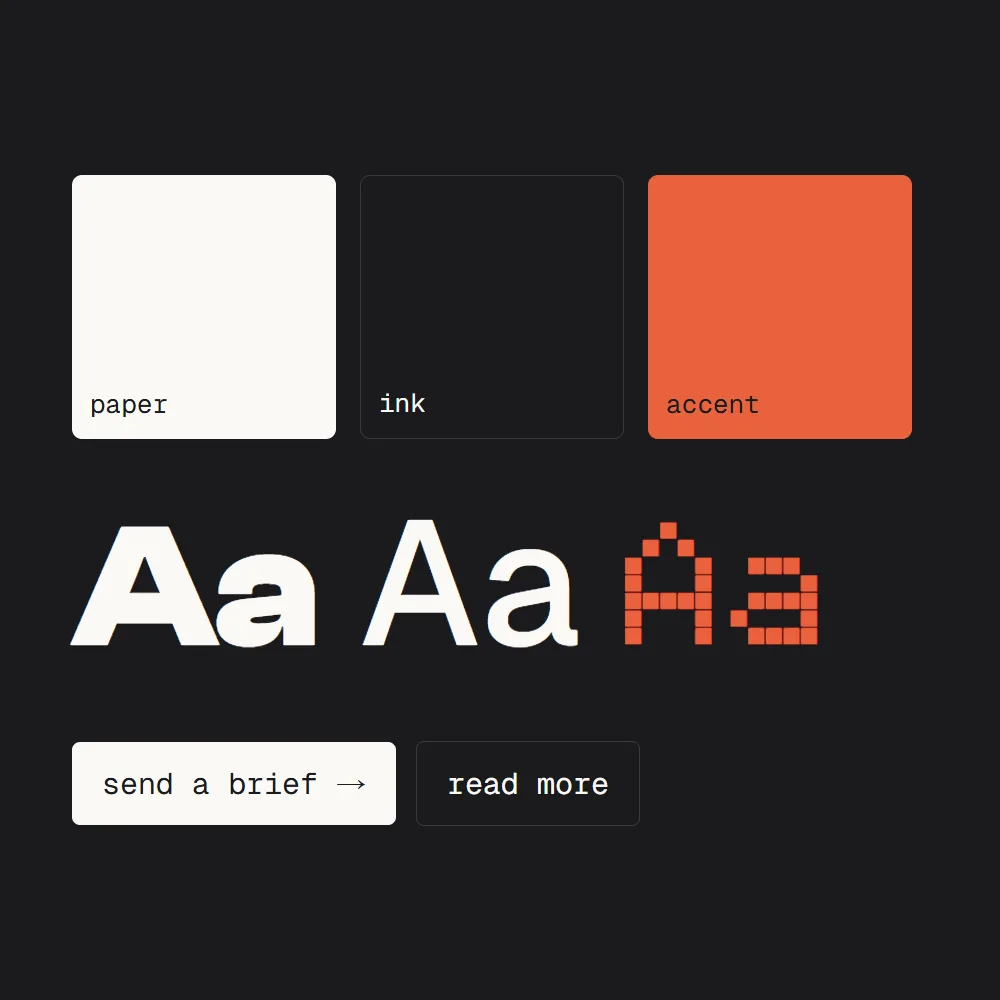
- Every site the AI makes looks like every other site.
- You fix the colours, then the fonts, then the buttons, one prompt at a time.
- The next page forgets everything you fixed on the last one.
Give it your brand before you give it the prompt.
What you need
About fifteen minutes, and the brand you already have.
- ClaudeClaude Design is part of Claude on every plan, the free one included. In a chat, choose Output, then Design. In Claude Code, type /design.
- Your brand filesYour logo, your font files, your colours, and two or three pages or screenshots you like. Your website’s code works too.
- Claude Code (later)Only when you want the design turned into your real site.
Build your design system
A design system is your brand written down so a machine can follow it: the colours, the fonts and their sizes, the spacing, the parts every page reuses (buttons, cards), and what never to do. You do not write it yourself. Attach your files and ask.
Build a design system for [brand] from these files: my logo, my fonts, my colours and these pages. Write down the colour tokens with their exact values, the type scale, the spacing, the components every page reuses, and a list of what never to do. Show me each part as a card and wait for my OK.
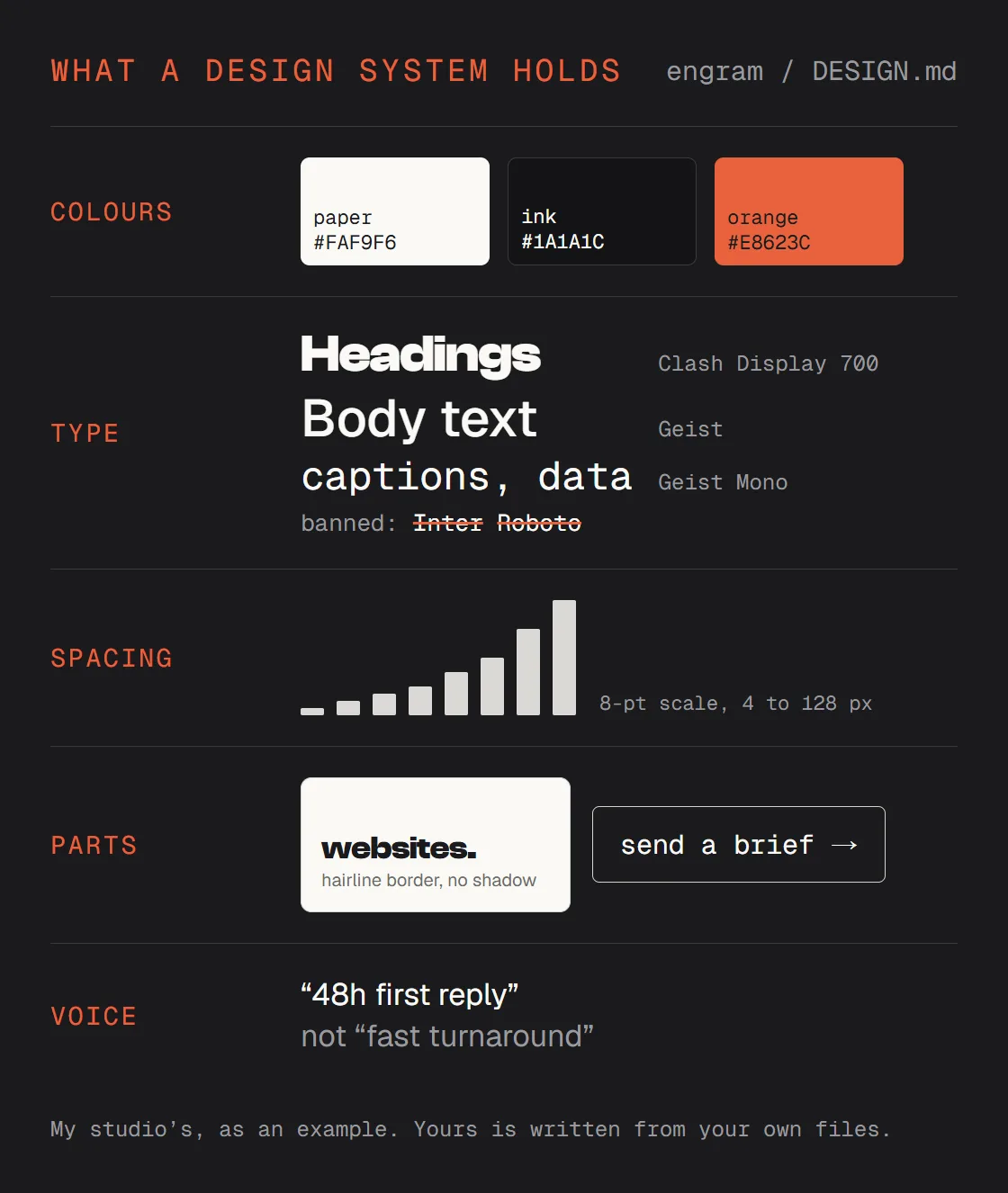
Read it like a brief for a new designer. A wrong line gets fixed in plain words (“the accent is for one thing per page, never a background”). Once it is right, it lives under Settings, Design systems, and you can make it the default, so every new design starts in it.
Turn it into one file
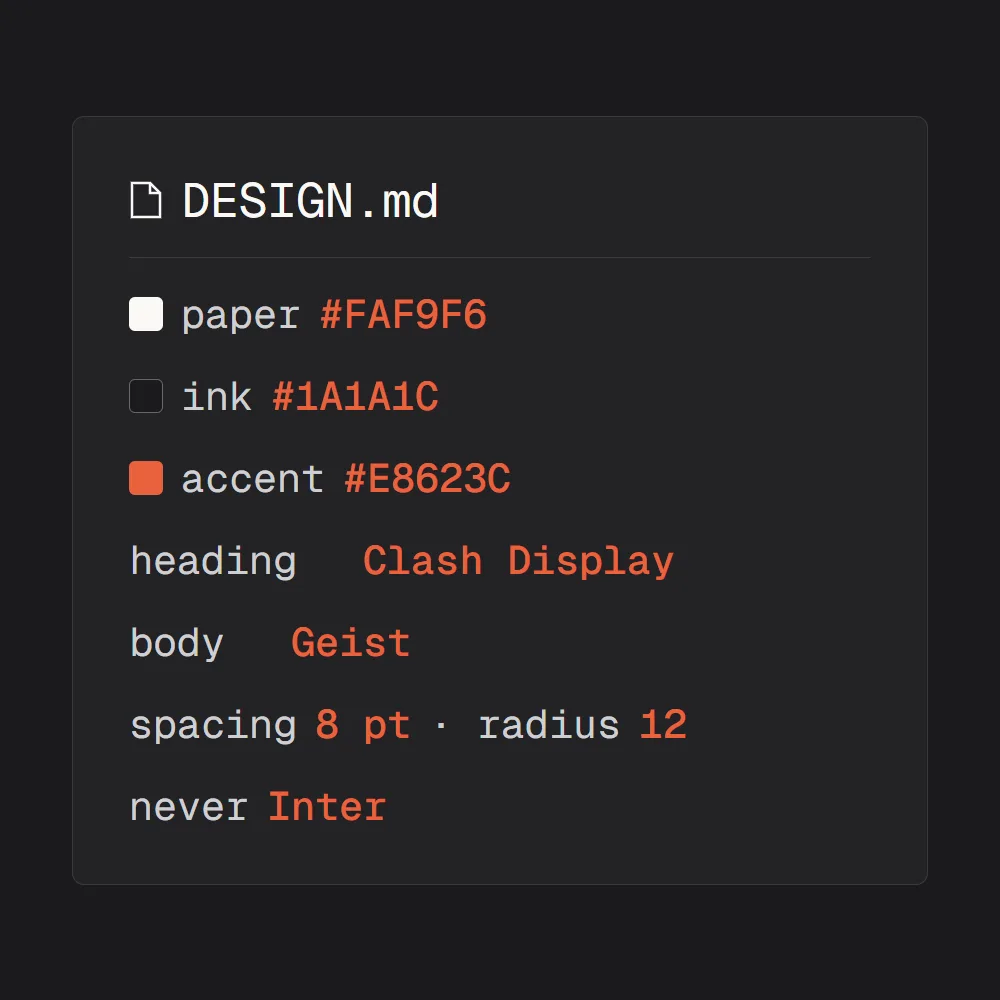
Claude Design reads your design system on its own. The file is for everywhere else: Claude Code building the real site, another chat, another tool. One plain file, DESIGN.md, with every value in it, so nothing has to guess.
Write my design system as one DESIGN.md file any AI can follow: every colour as a token with its hex value, the fonts and the type scale, the spacing scale, the corner radii, how each component looks, and a banned list. Short lines, no prose.
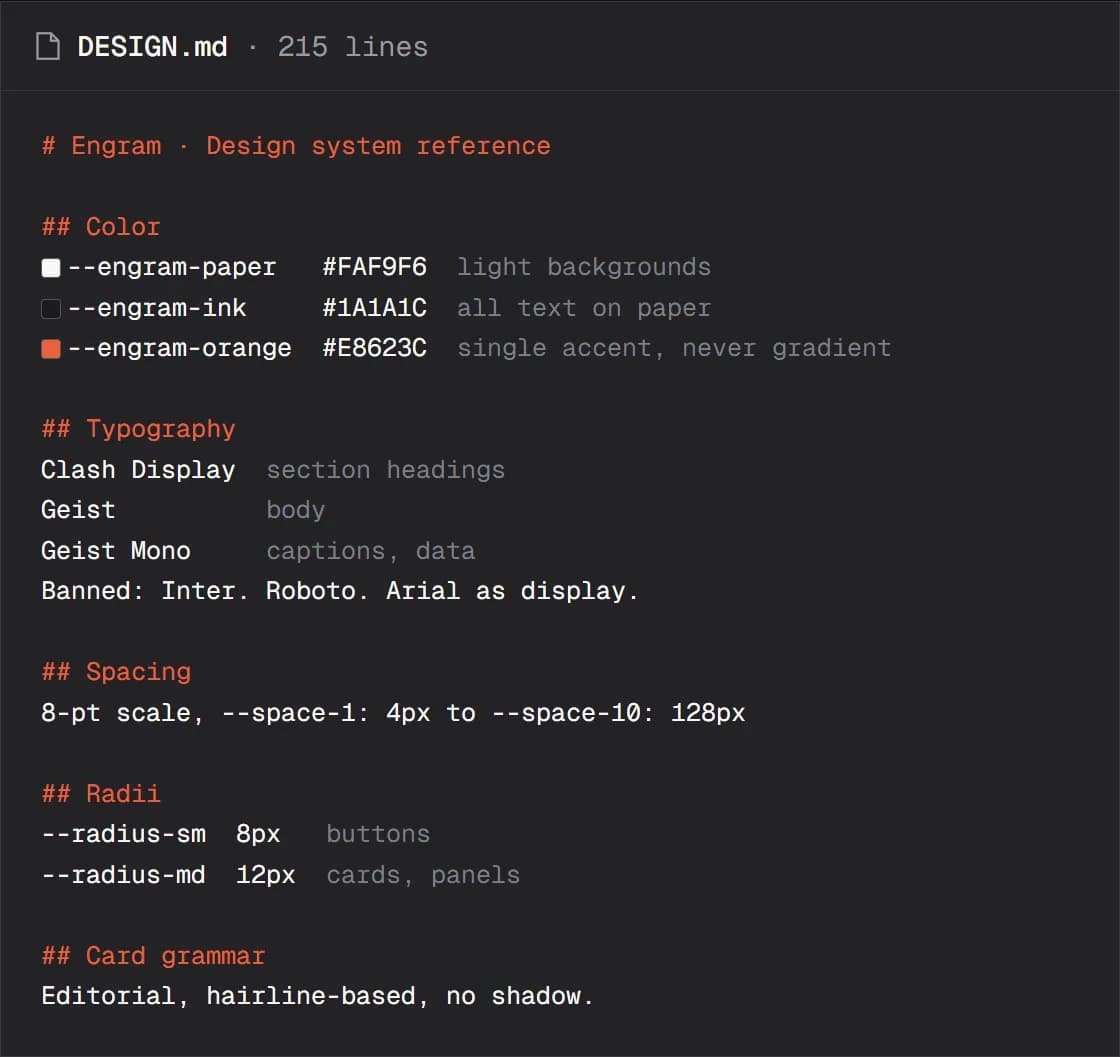
Read DESIGN.md before you change anything on this site, and use only its tokens.
Attach it, then brief it
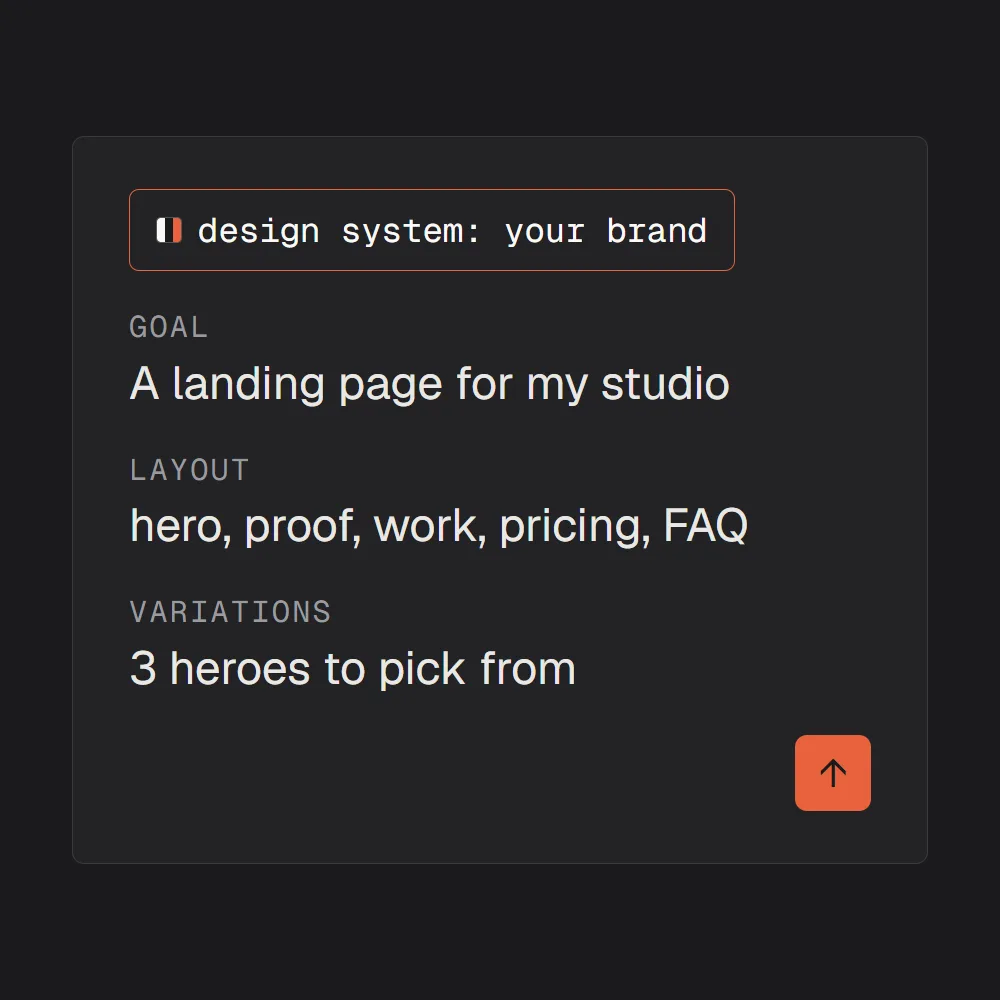
Start a new design with your design system attached (when a design starts you can attach or import one; set as the default, it is already there). Then write the prompt like a brief for a designer: one line for the goal, the sections in order, the versions you want to compare, and how finished it should be.
Design a landing page for [what you sell] from my [brand] design system. Sections, in this order: hero, social proof, features, how it works, testimonials, pricing, FAQ, call to action, footer. Give me 3 versions of the hero to compare: [gradient, editorial, terminal]. High fidelity, with my real logo and assets, no placeholders.
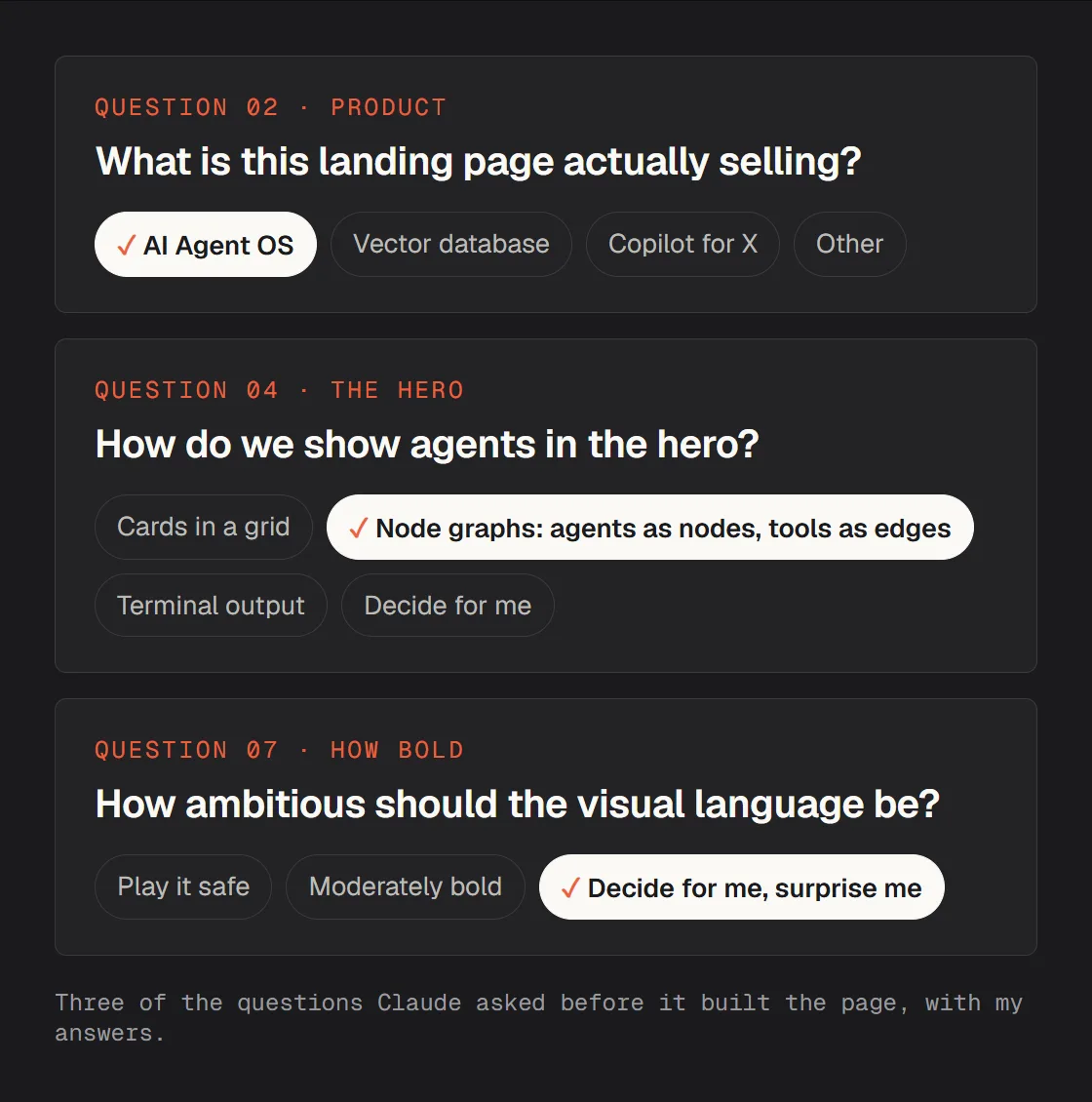
Before it builds, Claude asks what it cannot tell from the files: what you sell, how to show it, how bold to go. Answer them like a brief, not a form. Every answer becomes a rule it keeps for the whole page.
Fix it on the canvas, not in the prompt
When something is off, leave the prompt alone. Click the part and say the change in a comment: Claude edits that part and leaves the rest. Use the chat for bigger moves (a new section, a different order) and Edit to drag, resize and align by hand.
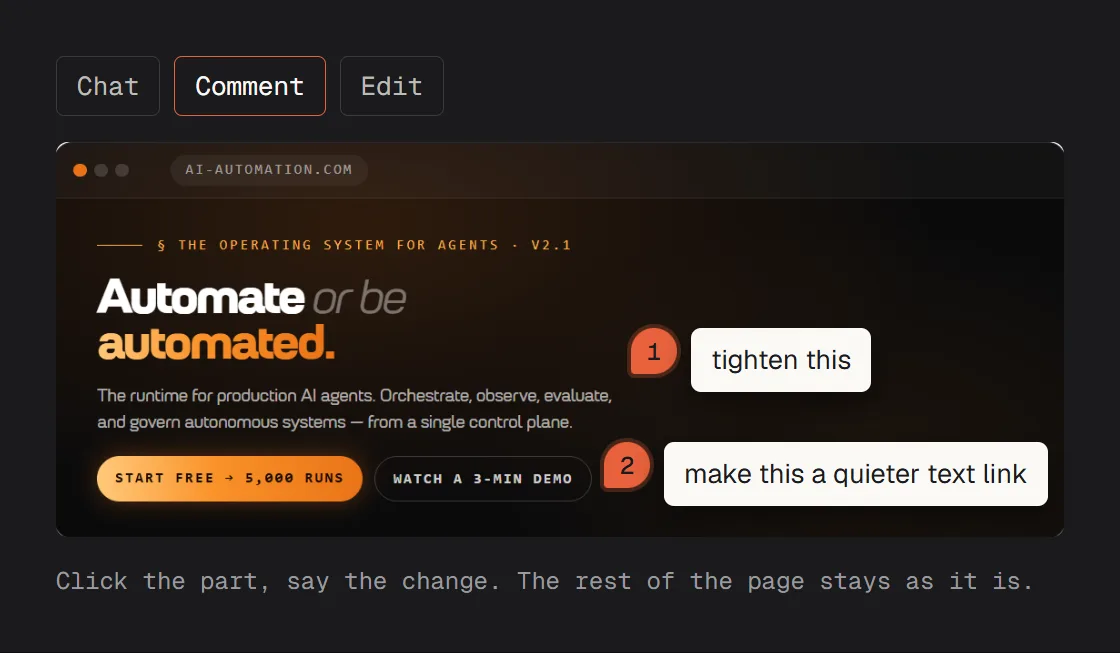
When it is right, Export gives you a .zip, a PDF or a standalone HTML page, and Handoff to Claude Code sends the design to Claude Code to build into your real site, with DESIGN.md beside it.
Build this design into my site. Read DESIGN.md first, use only its tokens, and show me each page before you move on to the next.
Quick fixes
The first design is not what I meant
Do not rewrite the prompt: that starts over and loses what was right. Comment on the part that is wrong, or answer its question again more precisely (“not a SaaS page, a portfolio for a studio”).
It still looks generic
Check that the design system is attached to this design, and name it in the prompt: “from my [brand] design system.” Without it, Claude reaches for the average of every website it has seen.
My fonts come out wrong
Upload the font files themselves, not only their names. A font Claude cannot load falls back to a default, and the page stops looking like you.
It does not match my live site
Build the design system from the site's own code instead of screenshots: a GitHub repo, or /design-sync in Claude Code. Then the colours and sizes are the ones your site really uses.
I made my design system at claude.ai/design
That standalone version closes on December 14, 2026. In Claude, choose Migrate team design systems in the banner to bring your design systems over. Projects stay behind: export each one with Share, then Project HTML, then Project archive.
Now I need it on my real site
Use Handoff to Claude Code, keep DESIGN.md in the site's folder, and tell Claude Code to read it before every change. Then the tenth page is in your brand too, not only the first.
Make the pricing page in the same design system. Reuse the header, the footer and the buttons from the landing page.
Check this design against my design system and list every place it breaks a rule, then fix them.
Make the phone version of this page: the same order, one column, every button easy to tap.
Write my DESIGN.md from these screenshots of my website: every colour with its value, every font and size, the spacing.
An independent guide by Luka (@omgluka), made at Engram. The before and after are two real outputs from my own Claude Design session. Claude, Claude Code and Claude Design are made by Anthropic, who are not affiliated with this guide.